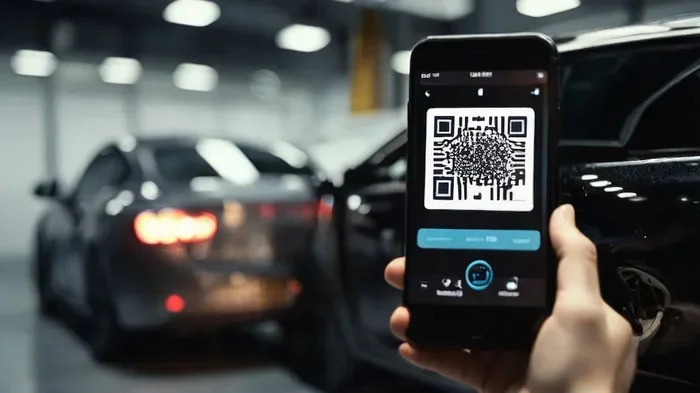
How to Get a QR Code for Your Vehicle in Simple Steps
Getting a QR code for your vehicle is quick, affordable, and incredibly useful. Whether you want a vehicle QR sticker for roadside safety or a digital car tag for insurance proof, this guide walks you through every step. You will learn how to choose the right QR code generator, design your code, place it correctly, and enjoy the real-world benefits of a scan-ready vehicle QR code.
Have you ever thought about how simple it would be to share your car details with just one scan? A QR code for your vehicle makes that possible. Whether you want to store insurance info, emergency contacts, or registration details, a vehicle QR code is a smart, modern solution.
More drivers are discovering the power of a digital car tag. It is not just a tech trend. It is a practical tool that can save time, money, and even lives. In this guide, we will show you exactly how to get a QR code for your vehicle in simple, clear steps.
You do not need to be a tech expert. We will keep everything easy to follow. By the end of this article, you will know how to create, design, place, and use your own vehicle identification QR code with confidence. Let us get started.
Key Takeaways
- Easy Process: Creating a QR code for your vehicle takes less than 10 minutes using free or paid tools.
- Multiple Uses: A vehicle QR code can store insurance details, registration info, emergency contacts, and more.
- Safety Boost: Placing a QR code sticker on your car helps first responders access your info quickly.
- Free Options Available: Many QR code generators offer free plans that work perfectly for vehicle use.
- Smart Placement Matters: Where you put your car QR code affects how easily it can be scanned.
- Customization Is Key: You can design your vehicle QR sticker to match your car’s look while keeping it scannable.
📑 Table of Contents
- What Is a QR Code for Your Vehicle and Why Do You Need One
- How to Get a QR Code for Your Vehicle: Step-by-Step Guide
- Different Ways to Create a QR Code for Your Car
- Benefits of Using a QR Code for Your Vehicle
- Common Mistakes to Avoid When Using a Vehicle QR Code
- How to Keep Your Vehicle QR Code Secure and Up-to-Date
- Frequently Asked Questions
- Final Thoughts
What Is a QR Code for Your Vehicle and Why Do You Need One
A QR code for vehicle is a two-dimensional barcode that stores information about your car or personal details linked to it. When someone scans it with a smartphone camera, they instantly see the stored data. Think of it as a digital ID card for your vehicle.
There are many reasons why a car QR code is a great idea. Here are the most important ones:
- Quick Access to Insurance: Police or tow truck drivers can scan your code and see your insurance details instantly.
- Emergency Contact Info: First responders can reach your family or emergency contacts fast.
- Proof of Registration: No more digging through your glove box for paper documents.
- Roadside Assistance: A QR code for roadside assistance can direct help to your exact location.
- Stolen Vehicle Recovery: Some systems link a vehicle tracking QR code to recovery databases.
How a Vehicle QR Code Works
A scan vehicle QR code works just like any other QR code. You create it using a generator, encode the data you want to share, and then display it on your car. When someone points their phone camera at it, the phone reads the code and opens the stored information. It is that simple.
Most vehicle QR stickers are printed on durable vinyl or aluminum. They are designed to withstand weather, rain, and sun exposure. A good automotive QR code will last for years without fading or peeling.
How to Get a QR Code for Your Vehicle: Step-by-Step Guide
Now let us walk through the actual process. Follow these steps to create your own QR code for your vehicle today.
Step 1: Decide What Information to Encode
Before you use any QR code generator, think about what you want to share. Here are common options:
- Your vehicle registration number
- Insurance policy number and provider
- Emergency contact name and phone number
- A link to your digital wallet or car portal
- Your personal website or social profile
- Location sharing link for roadside help
Pro Tip: Do not overload your code with too much text. Keep it focused. A clean, simple vehicle QR sticker with 2 to 3 key details works best.
Step 2: Choose a Reliable QR Code Generator
There are many free and paid QR code generators online. Here are some popular options:
- QRCode Monkey: Free, no sign-up required, and allows custom logos.
- Beaconstac: Great for professional automotive QR code designs.
- QR Code Generator PRO: Offers dynamic codes that you can update later.
- GoQR.me: Simple and fast for basic text-based codes.
Look for a generator that offers dynamic QR codes. These let you change the linked content without creating a new code. That is a huge advantage for a vehicle identification QR code because you may need to update insurance or contact info over time.
Step 3: Create Your QR Code
Once you pick a generator, follow these simple steps:
- Go to the generator website.
- Select the code type (URL, text, vCard, or Wi-Fi).
- Enter your vehicle details or link.
- Click “Generate” or “Create QR Code.”
- Preview the code to make sure it scans correctly.
Most generators let you customize colors and add a logo. This is great for a custom QR code for car that looks professional and matches your style.
Step 4: Test Your QR Code
This step is crucial. Before you print anything, scan your vehicle QR code with at least two different phones. Make sure it opens the right page or shows the correct info. A broken code is useless and frustrating.
Quick Tip: Test the code from different distances. A car QR code on a bumper may need to be scanned from farther away than one on your dashboard. Adjust the size accordingly.
Step 5: Print and Protect Your QR Code
Now it is time to print. Use a high-quality printer or a professional printing service. Here are some material options:
- Vinyl Sticker: Waterproof and durable. Great for exterior use.
- Aluminum Plate: Premium look. Resists rust and heat.
- Laminated Paper: Budget-friendly. Good for interior use only.
- Engraved Metal: Permanent and sleek. Best for a long-term digital vehicle passport.
Always use a laminate or protective coating if your vehicle QR sticker will be exposed to the elements.
Step 6: Place Your QR Code on the Vehicle
Placement matters a lot. You want the code to be visible but not in the way. Here are the best spots:
- Rear Window: Easy to scan from behind the car.
- Dashboard (Inside): Visible to police during a traffic stop.
- Trunk Lid: Good for roadside assistance scanning.
- Bumper (Rear): Convenient for tow trucks and accident responders.
Expert Insight: “The best placement for a vehicle QR code is somewhere flat and not blocked by other stickers or decorations,” says automotive safety expert Mark Jennings. “The rear windshield and dashboard are the top two choices for most drivers.”
Different Ways to Create a QR Code for Your Car
Not all QR codes for cars are created equal. Let us look at the main types and which one suits your needs.
Static QR Codes
A static QR code encodes fixed information. Once created, you cannot change the data without making a new code. These are perfect for:
- Vehicle registration numbers
- Fixed insurance policy details
- Emergency contact information
Static codes are free on most generators. They are simple and reliable. However, if your insurance changes, you will need to print a new sticker.
Dynamic QR Codes
A dynamic QR code links to a URL that you can update anytime. This is the smarter choice for a vehicle QR sticker because:
- You can update insurance info without reprinting.
- You can track how many times the code is scanned.
- You can change the linked page or data anytime.
Most dynamic QR code generators charge a small monthly fee. But the flexibility is worth it for many car owners.
Comparison: Static vs Dynamic QR Codes
| Feature | Static QR Code | Dynamic QR Code |
|---|---|---|
| Cost | Free | Free or low monthly fee |
| Editable | No | Yes |
| Scan Tracking | No | Yes |
| Best For | Fixed info like registration | Changing info like insurance |
| Setup Time | Under 2 minutes | Under 5 minutes |
For most drivers, a dynamic QR code for car is the better long-term investment. You get flexibility without the hassle of reprinting.
Benefits of Using a QR Code for Your Vehicle
A vehicle QR code offers real-world benefits that go beyond just looking tech-savvy. Here is why more drivers are adopting this simple tool.
Faster Emergency Response
In a crash or breakdown, every second counts. A QR code for vehicle on your windshield or bumper allows first responders to access your medical info, emergency contacts, and insurance details in seconds. This can truly save lives.
Proof of Insurance Made Easy
Many states now accept digital insurance proof. A QR code for insurance takes this a step further. An officer can scan your code and verify your coverage instantly. No more fumbling for paper cards or phone apps.
Reduced Risk of Fraud
A digital car tag linked to official databases makes it harder for thieves to fake ownership documents. Some vehicle tracking QR code systems also alert authorities if the car is moved without authorization.
Convenience for Daily Driving
Need to pay for parking? Scan your vehicle QR code to pay instantly. Need to prove registration at a checkpoint? One scan is all it takes. A scan vehicle QR code turns your car into a connected, smart vehicle.
Resale Value and Trust
When selling your car, a vehicle identification QR code builds buyer confidence. It shows you are organized and transparent about your vehicle history. This small touch can make a big difference in closing a sale.
Quick Tips for Maximizing Your QR Code Benefits
- Always use a dynamic QR code so you can update info without reprinting.
- Include a brief description under your code (e.g., “Scan for Insurance Info”).
- Check your code every 3 to 6 months to ensure it still scans correctly.
- Use weather-resistant materials for any exterior placement.
- Keep your linked data secure and do not share sensitive personal details publicly.
Common Mistakes to Avoid When Using a Vehicle QR Code
Creating a QR code for your vehicle is easy, but avoiding mistakes makes all the difference. Here are the most common errors drivers make.
Mistake 1: Using a Low-Quality Generator
Not all QR code generators are reliable. Some free tools create codes that break easily or do not work on all phones. Stick to well-known platforms with good reviews and strong security.
Mistake 2: Making the Code Too Small
A tiny car QR code is hard to scan. Make sure your printed code is at least 2 x 2 inches for easy scanning. Larger is better, especially for exterior placement on bumpers or trunks.
Mistake 3: Overloading the Code with Data
Stuffing too much text into a vehicle QR sticker can make it unreadable. Keep the encoded data concise. Use a URL link to a webpage where more details are stored, rather than putting everything in the code itself.
Mistake 4: Poor Placement
Do not place your vehicle QR code where it is blocked by other stickers, tinted windows, or curved surfaces. Flat, clean areas work best for scanning.
Mistake 5: Ignoring Design Contrast
Your custom QR code for car needs strong contrast. Dark modules on a light background work best. Avoid placing your code on a busy or patterned surface. The scanner needs clear contrast to read the code accurately.
Expert Insight: What Professionals Recommend
Automotive safety consultant Lisa Tran recommends a layered approach. “Use a dynamic QR code that links to a secure online profile,” she says. “Include your registration number, insurance provider, and a single emergency contact. Keep the code on the rear windshield and the dashboard. This covers both front and rear visibility for any scanner.”
She also warns against including full addresses or Social Security numbers in a publicly visible code. “Keep sensitive data behind a login wall,” Tran advises. “The vehicle QR sticker should only show enough info to identify the car and its owner in an emergency.”
How to Keep Your Vehicle QR Code Secure and Up-to-Date
Once your QR code for vehicle is in place, maintenance is simple. Here is how to keep it working perfectly.
Regular Maintenance Checks
Every few months, scan your own vehicle QR sticker to make sure it still works. Check for peeling, fading, or damage from weather. Replace the sticker if it shows signs of wear.
Updating Your Linked Information
If you use a dynamic QR code, updating is easy. Just log into your QR code generator dashboard and change the linked content. The physical sticker stays the same, but the data it points to is now current.
Security Best Practices
- Use a reputable QR code generator with encryption and privacy protections.
- Avoid linking to personal social media profiles directly.
- Use a dedicated landing page or secure portal for your vehicle data.
- Enable password protection on any linked pages if the generator supports it.
- Never encode sensitive information like your full home address in a public-facing code.
Key Takeaways
- Easy Process: Creating a QR code for your vehicle takes less than 10 minutes using free or paid tools.
- Multiple Uses: A vehicle QR code can store insurance details, registration info, emergency contacts, and more.
- Safety Boost: Placing a QR code sticker on your car helps first responders access your info quickly.
- Free Options Available: Many QR code generators offer free plans that work perfectly for vehicle use.
- Smart Placement Matters: Where you put your car QR code affects how easily it can be scanned.
- Customization Is Key: You can design your vehicle QR sticker to match your car’s look while keeping it scannable.
Frequently Asked Questions
Can I create a free QR code for my vehicle?
Yes, many QR code generators like QRCode Monkey and GoQR.me offer free plans. These work great for basic vehicle QR stickers. Just keep in mind that free plans usually create static codes, which you cannot edit later without making a new one.
Will a QR code sticker damage my car’s paint?
No, not if you use the right materials. High-quality vinyl stickers and aluminum plates are designed to be non-invasive. They peel off cleanly without leaving residue. Always use a protective layer between the sticker and your paint surface.
Can police scan my vehicle QR code during a traffic stop?
Yes, and many law enforcement agencies actually encourage it. A QR code for vehicle on your dashboard or rear window allows officers to quickly verify your registration and insurance. It makes the stop faster and smoother for both you and the officer.
What information should I include in my vehicle QR code?
Keep it limited to essential details. Include your registration number, insurance provider name and policy number, and one emergency contact. Avoid sharing sensitive personal data like your full address or Social Security number. A dynamic QR code linked to a secure online profile is the safest approach.
How long does a vehicle QR code sticker last?
A well-made vehicle QR sticker on vinyl or aluminum can last 3 to 5 years or more. Exposure to direct sunlight and harsh weather will shorten the lifespan. Check your sticker every few months and replace it if you notice fading or peeling.
Can I update the information on my QR code without printing a new sticker?
Absolutely. This is the main advantage of a dynamic QR code for car. You simply log into your QR code generator dashboard and update the linked content. The physical sticker stays the same, but the data it points to is now current. This saves you time and money on reprints.
Final Thoughts
Getting a QR code for your vehicle is one of the simplest upgrades you can make to your car. It takes minutes to set up, costs very little, and delivers real value every day. From faster insurance verification to better emergency response, a vehicle QR code is a practical tool that every driver should consider.
Follow the steps in this guide. Choose a reliable QR code generator. Decide what information to encode. Design your code with care. Place it in the right spot. And keep it updated over time. Your car will be smarter, safer, and more connected than ever before.
Do not wait for an emergency to realize you need this simple tool. Create your QR code for vehicle today and enjoy the peace of mind that comes with being prepared. A small sticker on your car can make a big difference in your daily driving experience.