How to Clean a Collision Sensor and Keep It Working
Your collision sensor plays a big role in keeping you safe on the road. A dirty sensor can cause false alerts or even fail when you need it most. This guide shows you exactly how to clean a collision sensor the right way using simple tools and easy steps. You will learn what signs point to a dirty sensor, what supplies you need, and how to maintain your sensors for long-term performance. Whether you drive a new car or an older model, these tips will help your safety systems work like they should.
Your car has more sensors than you might think. These tiny devices work behind the scenes to keep you and your passengers safe every time you hit the road. Among them, the collision sensor stands out as one of the most important safety components. It detects sudden impacts and triggers safety systems like airbags and automatic braking. But here is the thing most car owners overlook: a collision sensor needs regular cleaning to function properly. Dust, mud, road salt, and grime can build up on the sensor and cause it to malfunction. In this article, we will walk you through exactly how to clean a collision sensor and keep it working at its best.
Many people do not think about their car safety sensors until something goes wrong. When a dashboard warning light appears or a parking sensor starts beeping randomly, that is when panic sets in. The good news is that most sensor problems come from simple causes, like dirt buildup or a loose connector. You do not need to be a mechanic to fix these issues. With the right knowledge and a few household items, you can handle the job yourself. This guide covers everything from identifying a dirty sensor to performing the actual cleaning and maintaining your system long-term. By the end, you will feel confident tackling this simple but essential car care task.
Key Takeaways
- Regular cleaning prevents sensor failure: Dirt and debris are the top enemies of your collision sensor. Keeping it clean saves you from expensive repairs.
- You only need basic tools: A soft cloth, mild cleaner, and a small brush are all you need to get the job done right.
- Watch for warning signs: Dashboard lights, false alerts, and unresponsive systems all point to a dirty or damaged sensor.
- Avoid common mistakes: Using harsh chemicals or rough materials can permanently damage your sensor and wiring.
- Maintenance extends sensor life: Simple habits like regular washing and gentle driving go a long way in protecting your sensors.
- Know when to call a pro: Some sensor issues need professional diagnosis, especially when wiring or the control module is involved.
📑 Table of Contents
- What Is a Collision Sensor and Why It Matters
- Signs Your Collision Sensor Needs Cleaning
- Tools and Materials You Will Need
- Step-by-Step Guide to Cleaning a Collision Sensor
- Common Mistakes That Damage Collision Sensors
- Maintaining Your Collision Sensor for Long-Term Performance
- Why Keeping Your Collision Sensor Clean Is Worth the Effort
What Is a Collision Sensor and Why It Matters
A collision sensor is a small electronic device installed in your vehicle. It monitors the car’s surroundings and detects sudden deceleration or impact. When it senses a crash, it sends a signal to the airbag control unit. This triggers the airbags to deploy within milliseconds. Without a working sensor, your airbags may not inflate during a collision. That is why keeping your automotive sensors clean and functional is so important.
Types of Collision Sensors in Modern Vehicles
Not all collision sensors work the same way. Different vehicles use different types of sensors depending on the make, model, and safety features. Here are the most common types you will find:
- Front collision sensors: Located behind the front bumper. These detect frontal impacts and are key to triggering front airbags.
- Rear collision sensors: Found near the rear bumper. They monitor for rear-end collisions and activate rear airbags.
- Side impact sensors: Placed in the doors or B-pillars. These detect side crashes and deploy side airbags and curtain airbags.
- Rollover sensors: These detect sudden tilting or flipping and help deploy safety systems during a rollover event.
- Proximity sensors: Often part of the parking assist system. They help detect obstacles when parking and can feed data into the anti-collision system.
Each sensor type plays a specific role in your vehicle’s safety network. When one gets dirty or damaged, the whole system can suffer. That is why understanding your car’s sensor layout is the first step toward proper maintenance.
Signs Your Collision Sensor Needs Cleaning
How do you know your sensor is dirty? Your car usually gives you clear signals. Catching these signs early can prevent bigger problems down the road. Here are the most common indicators that your collision sensor needs attention.
Dashboard Warning Lights
The most obvious sign is a warning light on your dashboard. Many vehicles have a dedicated sensor warning light. It often looks like a car with bumpers and waves or an exclamation mark inside a circle. If this light stays on, your car sensor troubleshooting should start with a visual inspection of the sensor. Sometimes the light comes on because the sensor is covered in dirt or road grime. A simple cleaning might reset the system entirely.
False or Random Alerts
If your parking sensors start beeping when there is nothing in front of the car, that is a red flag. A dirty bumper sensor can send false readings to the computer. The sensor might think an object is closer than it really is. This can be annoying and also distracting while driving. Cleaning the sensor often fixes this problem quickly and easily.
Unresponsive Safety Systems
In more serious cases, a dirty sensor can cause safety systems to become unresponsive. Your automatic emergency braking might not engage, or the vehicle safety systems might not activate during a minor collision. This is dangerous and should be addressed immediately. Before assuming the sensor is broken, check for dirt and debris buildup first.
Intermittent Sensor Behavior
Sometimes the sensor works fine one moment and fails the next. This intermittent behavior often points to a loose connection or surface contamination. Moisture and dirt can create a partial short circuit on the sensor surface. Cleaning the sensor and checking the connector can restore consistent performance.
Tools and Materials You Will Need
Before you start cleaning, gather everything you need. Having the right tools makes the process faster, safer, and more effective. You do not need anything fancy or expensive. Here is a simple list of what to have ready.
Essential Cleaning Supplies
- Soft microfiber cloth: This is your best friend for cleaning sensors. It will not scratch the surface or leave behind fibers.
- Mild car wash soap: A gentle soap mixed with warm water works great for removing dirt and grime.
- Soft-bristle brush: A small, soft brush helps you reach tight spaces around the sensor without causing damage.
- Compressed air can: This is perfect for blowing out dust and debris from hard-to-reach areas around the sensor housing.
- Electrical contact cleaner: Use this sparingly on the sensor connector to remove corrosion and ensure a solid connection.
- Rubbing alcohol (isopropyl): A small amount on a cloth helps remove oily residue and grease from the sensor surface.
Helpful Extras
While not strictly necessary, a few extra items can make the job easier. A flashlight helps you see the sensor location clearly. A small screwdriver set can help you remove any covers blocking access. Gloves keep your hands clean and protect the sensor from oils on your skin. Having a sensor maintenance checklist on hand can also help you stay organized and make sure you do not miss any steps.
Step-by-Step Guide to Cleaning a Collision Sensor
Now that you have your tools ready, it is time to clean your collision sensor. Follow these steps carefully to get the best results without risking damage to your vehicle.
Step 1: Turn Off the Vehicle and Wait
Start by turning off your car and removing the key from the ignition. Wait at least five minutes before you begin. This allows the electrical system to power down fully. Working on a live system can be risky and might damage the sensor or its wiring. Safety always comes first when working on any part of your vehicle.
Step 2: Locate the Collision Sensor
Open your car owner manual to find the exact location of your collision sensor. In most vehicles, the front sensor sits behind the front bumper, usually near the center. The rear sensor is positioned similarly at the back. Side sensors are typically mounted in the doors or along the body pillars. Use your flashlight to get a clear view of the sensor and its surrounding area. Knowing exactly where the sensor is will save you time and frustration.
Step 3: Remove Dirt and Debris
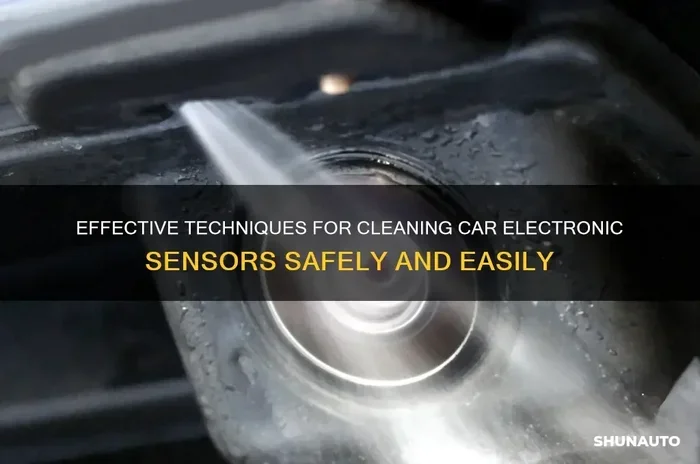
Start by removing any loose dirt, mud, or debris from around the sensor. Use your soft-bristle brush to gently sweep away surface grime. If there is caked-on mud, use the compressed air can to blow it loose. Be gentle during this step. You do not want to push debris further into the sensor housing or damage the sensor face. A light touch goes a long way in collision sensor cleaning.
Step 4: Clean the Sensor Surface
Dampen your microfiber cloth with a mixture of mild soap and warm water. Gently wipe the sensor surface in circular motions. This removes oils, road film, and light grime that have built up on the sensor. Avoid using too much water. You do not want moisture seeping into the sensor housing or connector. For stubborn grease or oily residue, apply a small amount of rubbing alcohol to a clean section of the cloth and wipe gently.
Step 5: Clean the Sensor Connector
The connector is the small plug that links the sensor to the car’s wiring harness. Over time, this connection can corrode or collect dirt. Spray a small amount of electrical contact cleaner onto the connector. Use a dry cloth to gently wipe away any corrosion or grime. Make sure the connector is completely dry before plugging it back in. A clean connection ensures the sensor sends accurate signals to the car’s computer.
Step 6: Inspect for Damage
While the sensor is exposed, take a moment to inspect it closely. Look for cracks in the sensor housing, frayed wiring, or corrosion on the connector pins. If you notice any physical damage, you may need a sensor replacement rather than just a cleaning. A damaged sensor cannot be fixed by cleaning alone. In that case, it is best to consult a professional mechanic for further diagnosis.
Step 7: Reassemble and Test
Once the sensor is clean and dry, reconnect the electrical connector firmly. Replace any covers or trim pieces you removed. Start the car and check for any warning lights on the dashboard. If the sensor warning light has gone off, your cleaning was successful. You can also test your parking sensors or safety systems to make sure everything is working correctly. Drive slowly in a safe area to confirm the sensors are responding as they should.
Common Mistakes That Damage Collision Sensors
Cleaning a sensor sounds simple, but mistakes happen. Avoiding these common errors will protect your sensors and keep your car safety systems working properly.
Using Harsh Chemicals
Never use abrasive cleaners, bleach, or strong solvents on your collision sensor. These chemicals can damage the sensor’s delicate surface and internal components. Stick to mild soap, rubbing alcohol, and electrical contact cleaner. Harsh chemicals are one of the fastest ways to ruin a sensor that was working perfectly fine before.
Using Abrasive Materials
Avoid steel wool, rough sponges, or anything that can scratch the sensor surface. Scratches can interfere with the sensor’s ability to detect impacts accurately. Always use a soft microfiber cloth or a gentle brush. Treat the sensor with the same care you would give a camera lens.
Ignoring the Connector
Many people clean the sensor but forget about the connector. A corroded or dirty connector is just as bad as a dirty sensor. The sensor might look clean but still fail to communicate with the car’s computer. Always clean the connector as part of your sensor maintenance routine.
Using Too Much Water
Moisture is the enemy of electronic components. Using too much water during cleaning can seep into the sensor housing and cause internal damage. Dampen your cloth, do not soak it. If water gets inside, dry it thoroughly before reconnecting anything. Prevention is always better than repair when it comes to automotive sensors.
Skipping Regular Maintenance
The biggest mistake is doing the cleaning once and never again. Sensors get dirty again. Road conditions, weather, and driving habits all contribute to buildup. Make collision sensor cleaning part of your regular car care routine. A quick check and wipe every few weeks can prevent most sensor issues before they start.
Maintaining Your Collision Sensor for Long-Term Performance
Cleaning is only one part of the equation. Long-term sensor health depends on consistent maintenance and smart driving habits. Here are some practical tips to keep your car safety sensors in top shape for years to come.
Wash Your Car Regularly
Regular car washes do more than make your car look good. They remove the dirt, salt, and chemicals that accumulate on your vehicle every day. Pay special attention to the bumper areas where your collision sensors are located. A quick rinse after driving through mud or snow can prevent buildup before it becomes a problem. Think of car washing as preventive sensor maintenance for your entire vehicle.
Drive Defensively
How you drive affects your sensors too. Aggressive driving over rough roads can jar sensors loose or damage their mounting brackets. Potholes, speed bumps, and curbs can all cause physical stress on the sensor and its wiring. Defensive driving not only keeps you safer on the road but also protects your vehicle safety systems from unnecessary wear and tear.
Check Sensors After Off-Road Driving
If you drive on dirt roads, through construction zones, or in off-road conditions, check your sensors afterward. Mud and gravel can coat the sensor surface quickly. A quick wipe-down after off-road trips can prevent dirt from hardening and causing issues. This simple habit takes less than a minute and can save you from unexpected sensor warnings.
Monitor Sensor Performance
Keep an eye on how your sensors behave. If you notice any changes, such as delayed alerts or intermittent warnings, do not ignore them. Early detection of sensor problems allows you to address them before they become serious. Regular car sensor troubleshooting keeps your safety systems reliable and your mind at ease.
Protect Sensors During Winter
Winter weather is tough on sensors. Road salt, ice, and freezing temperatures can all cause problems. After driving in snowy or icy conditions, rinse the undercarriage and bumper areas to remove salt residue. Salt is highly corrosive and can damage sensor connectors and wiring over time. A little extra care during winter goes a long way in protecting your front collision sensor and rear collision sensor.
When to Seek Professional Help
While cleaning a collision sensor is a task most car owners can handle, some situations call for a professional. If you have cleaned the sensor and the warning light persists, there may be a deeper issue. Problems with the sensor wiring or the sensor calibration require specialized tools and expertise. A certified mechanic can run diagnostic tests, check the sensor connector for internal damage, and recalibrate the system if needed. Do not hesitate to seek help when the problem goes beyond basic cleaning.
Why Keeping Your Collision Sensor Clean Is Worth the Effort
It is easy to take your car’s safety systems for granted. You trust them every time you drive, but you rarely think about the components that make them work. A collision sensor is one of those hidden heroes that deserves your attention. A few minutes of cleaning and maintenance can mean the difference between a sensor that works perfectly when you need it most and one that fails at a critical moment. The cost of keeping your sensors clean is zero. The cost of replacing a damaged sensor or repairing a malfunctioning anti-collision system can be hundreds of dollars. Simple car care tips like this save you money and protect your family on the road.
Make it a habit to inspect your sensors during your regular car maintenance routine. Pair sensor cleaning with your next car wash or oil change. This way, it becomes second nature and you never have to worry about forgetting. Your vehicle works hard to keep you safe. Returning the favor with a little regular care is the least you can do.
Remember, a clean sensor is a reliable sensor. Whether you are dealing with a dirty bumper sensor, a sensor warning light, or just want to stay ahead of potential problems, the steps in this guide will help. Keep your tools handy, stay consistent with your maintenance schedule, and enjoy the peace of mind that comes from knowing your car’s safety systems are in top working order.
Frequently Asked Questions
How often should I clean my collision sensor?
You should clean your collision sensor every two to four weeks, or more often if you drive in harsh conditions. Regular cleaning prevents dirt buildup that can interfere with sensor accuracy. Think of it as part of your normal car care routine.
Can a dirty collision sensor cause an accident?
Yes, a dirty or malfunctioning sensor can delay or prevent safety systems from activating during a collision. While it does not directly cause an accident, it can reduce the effectiveness of your vehicle’s safety features. Keeping the sensor clean helps ensure your safety systems work when you need them most.
What happens if I use the wrong cleaning product on my sensor?
Harsh chemicals can damage the sensor surface and internal components. They may cause corrosion on the connector or degrade the sensor’s sensitivity. Always stick to mild soap, rubbing alcohol, and electrical contact cleaner designed for automotive use.
Do I need to disconnect the battery before cleaning the sensor?
It is a good practice to turn off the vehicle and wait a few minutes before cleaning. You do not always need to disconnect the battery, but powering down the system reduces the risk of electrical damage. If you are unsure, consult your owner manual or a professional mechanic.
Can I clean the sensor myself or should I visit a mechanic?
Most collision sensor cleaning can be done at home with basic tools and supplies. It is a simple task that does not require professional expertise. However, if you notice physical damage, wiring issues, or persistent warning lights after cleaning, it is best to visit a mechanic for a thorough diagnosis.
Will cleaning the sensor reset the warning light?
In many cases, yes. If the warning light was triggered by dirt or debris on the sensor, cleaning it often resolves the issue. However, some vehicles require a manual reset using an OBD-II scanner after the sensor is cleaned. If the light stays on after cleaning, further diagnosis may be needed.
=== CONCLUSION ===
Learning how to clean a collision sensor is one of the simplest and most valuable things you can do for your vehicle. A clean sensor means reliable airbags, accurate parking alerts, and fully functioning safety systems. The process is straightforward, requires only basic supplies, and takes just a few minutes of your time. By following the steps outlined in this guide, you can keep your collision sensor working at peak performance and avoid unnecessary trips to the mechanic. Make sensor cleaning a regular part of your car care routine, and your vehicle will reward you with safer, more dependable performance every time you drive.