How Do You Relink a Key Fob With These Easy Steps Today
Learning how do you relink a key fob is easier than most car owners think. This guide walks you through the entire process step by step, covering popular car brands and common problems. You will learn the signs your key fob needs relinking, the exact steps to follow, and when to call a professional for help.
Your car key fob is one of those small devices you barely think about. That is, until it stops working. Maybe the buttons feel unresponsive. Maybe your car door lock won’t respond from across the parking lot. Or maybe you replaced the battery and now nothing happens at all. Whatever the reason, the answer often comes down to one thing: you need to relink it.
So, how do you relink a key fob? The good news is that the process is usually straightforward. You do not need to be a mechanic. You do not need expensive tools. And you certainly do not need to spend hours in a dealership waiting room. With the right guidance, most car owners can handle this task in under 30 minutes.
In this guide, we will walk you through everything you need to know. We will cover what a key fob is, why it loses its link, the warning signs to watch for, and the exact relinking steps for popular car brands. We will also share quick tips, common mistakes to avoid, and advice on when to seek professional help. Whether your remote key fob stopped working after a battery swap or you just bought a used car with a new fob, this article has you covered.
Key Takeaways
- Relinking is simple: Most car owners can relink their key fob at home in under 15 minutes using just the physical key and the car’s ignition.
- Start with the battery: Always replace the key fob battery before attempting to relink. A weak battery is the most common cause of fob problems.
- Follow brand-specific steps: Each car brand has its own relinking sequence. Check your car owner manual or refer to the brand-specific guide above.
- Avoid common mistakes: Do not rush the process, do not start the engine during programming, and always test all fob buttons after relinking.
- Know when to call a pro: If relinking fails multiple times or the fob is physically damaged, a professional locksmith or dealership can help with key fob programming and car key replacement.
- Prevent future issues: Replace the battery every 10-12 months, store the fob properly, and avoid exposure to water and extreme heat to keep your remote key fob working for years.
- Security matters: Always reprogram fobs when you buy a used car to ensure only your keys can access and start the vehicle.
📑 Table of Contents
What Is a Key Fob and Why Does It Need Relinking?
How a Key Fob Communicates With Your Car
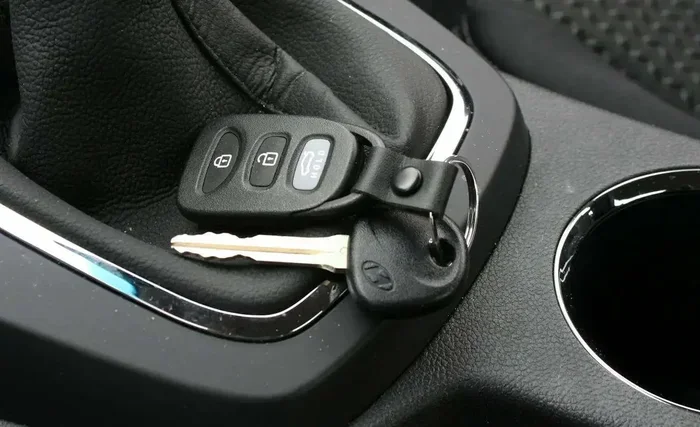
A car key fob is a small handheld device that sends a coded signal to your vehicle. When you press a button, the fob transmits a radio frequency signal. Your car’s vehicle security system receives that signal and checks if it matches the expected code. If it does, the car responds by unlocking the doors, opening the trunk, or starting the engine.
This communication happens instantly. But it relies on a strong, clear key fob signal between the fob and the car’s receiver. Over time, that link can weaken or break entirely. When that happens, your car does not recognize the fob anymore. That is when relinking becomes necessary.
Think of it like a phone pairing with a Bluetooth speaker. If the connection drops, you have to pair them again. The same idea applies to your car door lock system and the fob. The fob and the car need to “talk” to each other using matching codes. Relinking resets that connection so they can communicate again.
Common Reasons Key Fobs Lose Their Link
Several things can cause your key fob not working situation. Understanding these reasons helps you prevent the problem in the first place.
- Battery depletion: A weak key fob battery is the most common cause. When the battery drops below a certain level, the signal weakens and the car may not detect the fob.
- Battery replacement: Even after installing a fresh battery, the fob sometimes loses its programming. The new battery restores power, but the link to the car needs to be re-established.
- Signal interference: Nearby electronics, tall buildings, or even other key fobs can interfere with the key fob signal temporarily.
- Water damage: Dropping your fob in water or exposing it to heavy rain can damage the internal circuits and disrupt the signal.
- Software glitch: Sometimes the car’s computer simply needs a reset. A key fob reset clears any temporary errors in the system.
- Used car purchase: If you bought a pre-owned vehicle, the previous owner’s fobs may still be programmed. You need to relink your new fob to match your car.
- Distance and wear: Over months and years of use, the fob’s internal components wear down, reducing its key fob range and signal strength.
Signs Your Key Fob Needs Relinking
Warning Signs to Watch For
Not sure if your fob needs relinking or if something else is wrong? Look for these telltale signs. Catching the problem early saves you time and prevents bigger headaches.
- The car door lock buttons on the fob do not respond when you press them.
- The fob works only when you are standing right next to the car, showing a reduced key fob range.
- The dashboard displays a warning light about the vehicle security system.
- The push button start does not recognize the fob, even with a fresh key fob battery installed.
- The trunk release button stops working while other buttons still function.
- The fob occasionally works and then stops, indicating an intermittent key fob signal problem.
- You hear a clicking sound from the fob but the car does not respond.
When the Problem Might Be Something Else
Not every fob problem requires relinking. Sometimes the issue is simpler. A dead key fob battery is the number one culprit. Before you go through the relinking process, try replacing the battery first. Use the correct battery type for your specific fob model. A CR2025 or CR2032 battery works for most remote key fob models, but check your car owner manual to be sure.
If replacing the battery does not fix the problem, then relinking is likely the solution. Also, check for physical damage to the fob. Cracked casing or worn-out key fob buttons can mimic relinking issues. In those cases, a car key replacement or fob repair might be needed instead.
How to Relink a Key Fob With These Easy Steps Today
Step-by-Step Relinking Process
Now for the part you have been waiting for. Here is exactly how to relink your key fob in simple, easy-to-follow steps. While the exact process varies slightly by car brand, the general method is similar across most vehicles.
Step 1: Sit in the driver’s seat. Make sure all doors are closed. Insert the physical key into the ignition. You will need the key even if your car has push button start.
Step 2: Turn the ignition to the “On” position. Do not start the engine. Just turn the key to the position where the dashboard lights come on. Some newer vehicles require you to press the start button without pressing the brake pedal.
Step 3: Press and hold the lock button. On your remote key fob, press and hold the lock button. Keep holding it throughout the next steps. This tells the car you are entering programming mode.
Step 4: Turn the ignition off and back on. While still holding the lock button, turn the key from the “On” position back to “Off.” Then immediately turn it back to “On.” You may need to repeat this cycle three to five times depending on your vehicle. Listen for a click or a chime. That sound confirms you have entered the programming mode.
Step 5: Release the lock button. After hearing the confirmation sound, release the lock button on the fob. You are now in programming mode.
Step 6: Press the lock button again. Within five seconds, press the lock button on the fob once. The car should lock and unlock to confirm it has accepted the new programming.
Step 7: Test the fob. Turn the ignition off. Step out of the car and test all the fob buttons. Try locking the doors, unlocking them, and pressing the trunk release. If everything works, your key fob programming is complete.
Step 8: Repeat for additional fobs. If you have more than one fob to relink, repeat steps 3 through 7 for each fob within 30 seconds of the last one. This ensures the car registers all of them.
Quick Tips for a Smooth Relink
Follow these practical tips to make the relinking process go smoothly the first time:
- Always use a fresh battery before relinking. A weak battery during the process can cause the programming to fail.
- Work in a quiet area away from other electronic devices that might cause signal interference.
- Keep all fobs you want to program within arm’s reach during the entire process.
- Have your car owner manual handy. It contains the exact relinking steps for your specific make and model.
- If the process does not work the first time, wait 60 seconds and start over. Rushing through the steps is the most common mistake.
- Write down the steps for your specific car model. You may need to relink again in the future.
Common Mistakes to Avoid When Relinking
Even with the best instructions, mistakes happen. Here are the most common errors car owners make when attempting to reprogram key fob settings:
- Skipping the battery check: Never attempt relinking with an old or partially drained battery. Always install a new one first.
- Not holding the lock button long enough: The timing matters. Release the button too early and the car will not enter programming mode.
- Starting the engine during the process: Remember, you only turn the key to “On,” not all the way to start the engine.
- Taking too long between fobs: Most cars require you to program all fobs within a 30-second window. Work quickly but carefully.
- Ignoring the owner manual: Every car brand has slight differences. The owner manual provides the exact sequence for your vehicle.
- Not testing all buttons afterward: A successful relink means testing every function, not just the lock button.
How to Relink a Key Fob for Popular Car Brands
The basic relinking process we covered above works for most vehicles. However, each car brand has its own specific steps. Below is a comparison of how the process differs across popular manufacturers.
| Car Brand | Relinking Method | Time Required | Difficulty Level |
|---|---|---|---|
| Ford | Turn ignition on/off cycle while holding lock button. Press any button on fob within 8 seconds. | 5-10 minutes | Easy |
| Toyota | Insert key, cycle ignition to “On” and “Off” 3 times. Press fob lock button within 5 seconds. | 5-10 minutes | Easy |
| Honda | Turn ignition to “On” position, press “Security” button on center console, then press fob lock button. | 10-15 minutes | Moderate |
| Chevrolet | Hold lock and unlock buttons on fob simultaneously for 3 seconds, then release and press lock button again. | 5-10 minutes | Easy |
| BMW | Press and hold the unlock button, then press the lock button 3 times while still holding unlock. | 10-15 minutes | Moderate |
| Nissan | Turn ignition to “On” and “Off” 4 times, then press any fob button within 10 seconds. | 5-10 minutes | Easy |
As you can see, the process is manageable for most brands. Ford, Toyota, Chevrolet, and Nissan models tend to be the easiest. Honda and BMW require a few extra steps but are still very doable at home. Always refer to your car owner manual for the exact sequence, as newer model years may have updated procedures.
Ford Key Fob Relinking
Ford vehicles are among the easiest to relink. Most Ford models from 2005 onward follow a similar process. Enter the driver’s seat, insert the key, and cycle the ignition from “Off” to “On” and back to “Off” three times within 10 seconds. Then press any button on the fob. The doors will lock and unlock to confirm the programming was successful.
Toyota Key Fob Relinking
Toyota uses a slightly different approach. Insert the key into the ignition and cycle it from “Off” to “On” and back to “Off” three times, ending on “On.” Then press the lock button on the fob within five seconds. The doors will cycle to confirm the new programming. Toyota allows you to program up to four fobs for a single vehicle.
Honda Key Fob Relinking
Honda’s process requires accessing the transponder key programming mode through the center console. Turn the ignition to the “On” position, then press the “Security” button located on the dashboard or center console. Within 10 seconds, press the lock button on your fob. The doors will lock and unlock to confirm the link has been established.
Chevrolet Key Fob Relinking
Chevrolet makes the process simple. Sit in the driver’s seat with all doors closed. Press and hold both the lock and unlock buttons on the fob simultaneously for three seconds. Release both buttons, then press the lock button once. The vehicle will lock and unlock to confirm successful programming. This method works for most Chevrolet models from 2010 onward.
When to Seek Professional Help
Signs You Need a Locksmith
Most of the time, relinking a key fob is a DIY task. But there are situations where professional help is the right call. Knowing when to stop and call an expert saves you frustration and potential damage to your vehicle.
You should consider calling a locksmith or dealership if:
- You have followed the relinking steps multiple times and the car still does not recognize the fob.
- The vehicle security system displays an error message that does not go away after relinking.
- You have lost all fobs for the vehicle and need to program a completely new one from scratch.
- The fob physically damaged, such as a cracked circuit board or water-damaged internal components.
- Your car uses a transponder key that requires specialized equipment to program.
- You recently had the car’s computer or ignition switch replaced and the system needs a full reset.
Cost Considerations
Professional key fob programming costs vary widely. Dealerships typically charge between $50 and $300 for fob programming, depending on the vehicle make and model. Independent locksmiths often charge less, usually between $30 and $150. The cost depends on the complexity of the key fob programming and whether you need a new fob purchased in addition to the programming service.
Keep in mind that a car key replacement fob itself can cost anywhere from $20 to $300 or more, depending on the brand and features. Smart key fobs with proximity sensors and advanced security features tend to cost more. Always ask for a price estimate before committing to any service.
Tips to Keep Your Key Fob Working Longer
Battery Maintenance
The single best way to keep your remote key fob working reliably is to stay on top of the battery. Most key fob batteries last between one and two years. Do not wait until the fob stops working to replace it. Set a reminder on your phone every 10 months to swap in a fresh battery.
When replacing the battery, use a high-quality brand. Cheap batteries may not provide consistent power, which can weaken the key fob signal over time. Also, make sure your hands are clean and dry when handling the battery. Oils and moisture from your skin can corrode the battery contacts.
Protecting Your Key Fob From Damage
Your fob goes everywhere with you. It gets tossed in bags, dropped on floors, and exposed to all kinds of conditions. A few simple habits can extend its lifespan significantly.
- Store the fob in a dedicated pocket or pouch, not loose in a bag where it can collide with keys and coins.
- Keep the fob away from strong magnetic fields, such as those near large speakers or magnetic phone mounts.
- Avoid exposing the fob to extreme heat, such as leaving it on the dashboard in direct sunlight.
- Do not submerge the fob in water. If it gets wet, remove the battery immediately and let it dry completely before reinstalling.
- Clean the fob buttons regularly with a soft, dry cloth to prevent dirt buildup that can cause unresponsive key fob buttons.
Taking these small precautions can prevent many key fob not working situations before they start. A well-maintained fob lasts five to seven years on average, and sometimes even longer with proper care.
Conclusion
Learning how do you relink a key fob is one of the most useful skills a car owner can have. It saves time, saves money, and gets you back on the road without a trip to the dealership. The process is simpler than most people expect. With a fresh battery, your car owner manual, and about 15 minutes of your time, you can relink your remote key fob and restore full functionality to your vehicle.
Remember the key steps: enter programming mode by cycling the ignition, hold the lock button, confirm the programming with a lock-unlock cycle, and test every button afterward. If the process does not work, do not force it. Check your car owner manual for brand-specific instructions, or reach out to a trusted locksmith for help.
Your car key fob is the bridge between you and your vehicle. Keep it programmed, keep the battery fresh, and it will serve you reliably for years to come. Now that you know exactly how to handle a relink, you are prepared for whatever comes next.
Frequently Asked Questions
Can I relink a key fob myself without any special tools?
Yes, in most cases you can relink a key fob at home without any special tools. All you need is the physical key, a fresh battery, and your vehicle’s owner manual. The relinking process uses your car’s existing ignition and door lock buttons to enter programming mode. No expensive equipment or technical knowledge is required.
How long does it take to relink a key fob?
The entire process typically takes between 5 and 15 minutes. The exact time depends on your car brand and model. Ford, Toyota, Chevrolet, and Nissan models tend to be the fastest. Honda and BMW may take a bit longer due to additional steps. Having your owner manual nearby helps speed things up considerably.
What should I do if my key fob still does not work after relinking?
If relinking does not fix the problem, the issue may be deeper than just a lost connection. The key fob battery might be defective, or the fob itself could have internal damage. Try replacing the battery again with a brand-new one. If that does not work, the transponder key chip inside the fob may be damaged and require a full car key replacement. In this case, contact a professional locksmith or your dealership.
Do I need to relink my key fob after replacing the battery?
Not always, but it is common. Many car owners find that installing a new key fob battery causes the fob to lose its programming link to the vehicle. If your fob stops working right after a battery swap, a quick relink should restore the connection. Always keep a spare battery in your glove box so you are prepared for this situation.
Can multiple key fobs be relinked at the same time?
Yes, most vehicles allow you to program multiple fobs during the same session. However, you must complete the relinking process for each fob within a specific time window, usually 30 seconds between fobs. Check your car owner manual for the exact timing requirements for your specific make and model.
Is it safe to relink a key fob if I recently bought a used car?
Absolutely. When you buy a used car, it is a good idea to relink or reprogram all the fobs. This ensures that only your fobs can access and start the vehicle. It is a simple security measure that takes just a few minutes. You can also ask the previous owner to hand over all fobs so you can decide which ones to keep programmed.
=== KEY TAKEAWAYS ===
Key Takeaways
- Relinking is simple: Most car owners can relink their key fob at home in under 15 minutes using just the physical key and the car’s ignition.
- Start with the battery: Always replace the key fob battery before attempting to relink. A weak battery is the most common cause of fob problems.
- Follow brand-specific steps: Each car brand has its own relinking sequence. Check your car owner manual or refer to the brand-specific guide above.
- Avoid common mistakes: Do not rush the process, do not start the engine during programming, and always test all fob buttons after relinking.
- Know when to call a pro: If relinking fails multiple times or the fob is physically damaged, a professional locksmith or dealership can help with key fob programming and car key replacement.
- Prevent future issues: Replace the battery every 10-12 months, store the fob properly, and avoid exposure to water and extreme heat to keep your remote key fob working for years.
- Security matters: Always reprogram fobs when you buy a used car to ensure only your keys can access and start the vehicle.