Will My Car Clock Change Automatically After Daylight
Will my car clock change automatically? The answer depends on your vehicle model, year, and tech features. Many modern cars with GPS and smart infotainment systems adjust the clock without any input from you. Older vehicles or basic models often need a manual reset after daylight saving time.
Have you ever driven somewhere and noticed your car clock is wrong? Maybe you just crossed a time zone, or maybe daylight saving time just kicked in. Either way, it is frustrating when the clock on your dash does not match your phone.
So, will my car clock change automatically after daylight saving time? The short answer is: it depends on your car. Newer vehicles with advanced tech often handle this for you. But older or more basic models might need a little help from you.
In this guide, we will walk through everything you need to know. We will cover how different car systems work, why some clocks update on their own, and what you can do if yours does not. By the end, you will know exactly what to expect and how to fix any time-related issues.
Key Takeaways
- Smart cars with GPS: Most newer vehicles adjust the clock automatically based on location and time zone data.
- Basic and older models: You will likely need to reset the clock yourself after daylight saving time begins or ends.
- Infotainment systems: Cars with connected features often sync with your phone or satellite data to keep the correct time.
- Common reasons for clock failure: A dead battery, faulty module, or disconnected fuse can stop automatic updates.
- Manual adjustment is easy: Most car clocks can be set in just a few minutes using the steering wheel controls or touchscreen.
- Pro tip: Check your owner manual or settings menu to see if your car has an auto-time feature you can enable.
📑 Table of Contents
- How Car Clocks Work in Modern Vehicles
- Will My Car Clock Change Automatically After Daylight Saving Time?
- Why Your Car Clock Might Not Be Updating
- How to Manually Adjust Your Car Clock
- Quick Tips for Keeping Your Car Clock Accurate
- Common Mistakes People Make With Car Clocks
- Expert Insights on Car Clock Technology
- Key Takeaways
- Conclusion
How Car Clocks Work in Modern Vehicles
Modern cars are smarter than most people realize. Your vehicle’s clock is not just a simple digital display. It is connected to your car’s computer system, and in many cases, to GPS or satellite data.
Here is how different systems handle time updates:
- GPS-linked clocks: These clocks pull time data from satellites. They know your exact location and time zone. When you cross into a new zone, the clock updates on its own.
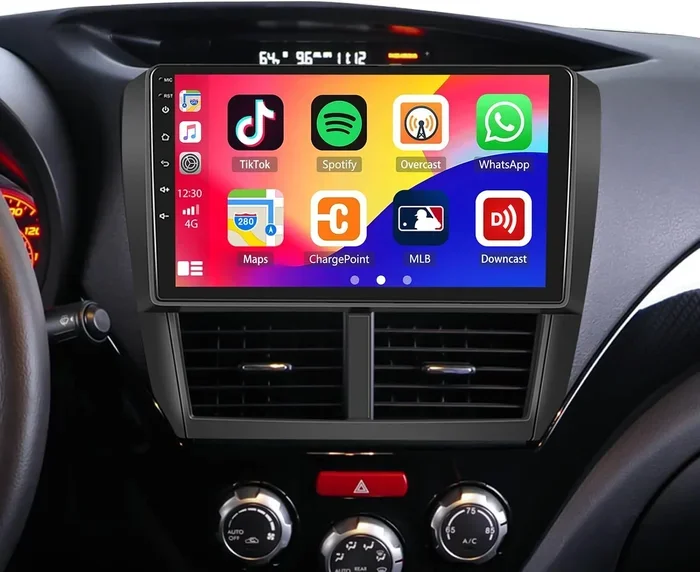
- Infotainment system clocks: Many cars with touchscreens sync with your phone or the internet. They receive time zone and daylight saving updates automatically.
- Vehicle network clocks: Some cars use the body control module to manage the clock. This module receives data from the instrument cluster and keeps everything in sync.
If your car has any of these features, there is a good chance your clock will adjust without you lifting a finger. But not every vehicle is this advanced. Let us look at what to expect from different types of cars.
What Year Cars Have Automatic Clock Updates?
Most cars made after 2015 have some form of automatic time adjustment. Luxury brands like BMW, Mercedes, and Lexus have offered this feature for even longer. If your car has a navigation system, the clock usually updates with it.
For cars made before 2010, automatic updates are less common. You may need to adjust the clock manually twice a year when daylight saving time changes.
Will My Car Clock Change Automatically After Daylight Saving Time?
This is the question most drivers ask. And the answer really comes down to your car’s technology level. Let us break it down into three categories.
Cars That Update Automatically
If your vehicle has GPS navigation or a connected infotainment system, your clock should update automatically. Here are some examples:
- Toyota and Lexus models with navigation
- Ford vehicles with SYNC 3 or later
- Chevrolet cars with MyLink or Infotainment 3
- BMW and Mercedes with iDrive or COMAND systems
- Any electric vehicle with smart connectivity features
In these cars, the system receives daylight saving time data from the manufacturer. When the time change happens, the clock shifts forward or back without any input from you. Some cars even update the clock based on your phone’s Bluetooth connection.
Cars That Need Manual Adjustment
Older vehicles and base-model cars often lack the tech needed for automatic updates. If your car has a simple digital or analog clock on the dash, you will probably need to reset it yourself.
Here is what to look for if your car needs manual input:
- A basic digital clock with no navigation feature
- An older model without a connected infotainment system
- Cars where the clock resets to 12:00 after a battery disconnect
- Vehicles where the clock display is part of the radio unit only
Do not worry if your car falls into this category. Adjusting the clock manually is usually quick and easy. We will cover how to do that later in this article.
Cars With Partial Automation
Some vehicles fall somewhere in between. They might adjust for time zones but not for daylight saving time. Or they might update automatically but lose the correct time after a power outage.
If your car is in this group, you may need to confirm the time change setting in your vehicle menu. Many cars let you toggle auto-time on or off in the settings panel.
Why Your Car Clock Might Not Be Updating
If you expect your clock to change automatically and it does not, there could be several reasons. Let us look at the most common causes.
Dead or Weak Car Battery
Your car clock needs power to stay synced. If your battery is old or weak, the clock may lose its settings. This is especially common after a jump start or a long period of not driving.
A weak battery can also cause your car clock to reset to 12:00 or flash blank. Replacing the battery often fixes this problem right away.
Faulty Body Control Module
The body control module is the brain behind many of your car’s electronic features. If this module malfunctions, your clock may stop updating. You might also notice other electronic glitches at the same time.
This is not a common issue, but it does happen in older vehicles. A mechanic can diagnose a faulty module with a diagnostic scan tool.
Disconnected or Blown Fuse
Every car clock has a fuse that supplies power. If that fuse blows, the clock will stop working entirely. This can happen after a power surge or if something short-circuits in the dash area.
Check your owner manual for the fuse box location. Look for the fuse labeled “clock” or “instrument cluster” and replace it if needed.
Software Glitch in the Infotainment System
Just like your phone, your car’s infotainment system can experience software bugs. A glitch might prevent the clock from updating during a time change. In most cases, a simple system restart fixes this.
Try turning your car off, waiting 30 seconds, and starting it again. If the problem continues, check for software updates from your dealer.
How to Manually Adjust Your Car Clock
If your car clock does not update automatically, you will need to set it yourself. The process varies by vehicle, but here are the general steps.
Using Steering Wheel Controls
Many cars let you adjust the clock using buttons on the steering wheel. Look for a “Menu” or “Settings” button. Scroll to the clock or time settings. Use the arrow buttons to change the hour and minute.
Make sure you select AM or PM correctly. A wrong AM/PM setting can make your clock off by 12 hours.
Using the Infotainment Screen
For cars with a touchscreen, the process is usually straightforward:
- Tap the Settings icon on the home screen.
- Look for “Clock,” “Time,” or “Display” settings.
- Turn off auto-time if you want to set it manually.
- Adjust the hour and minute using the on-screen controls.
- Save your settings and exit the menu.
Using the Radio Knob
In some older vehicles, the clock is part of the radio unit. You may need to press and hold a button on the radio face to enter clock mode. Use the tune knob to set the time.
These clocks often have a small button that lets you switch between 12-hour and 24-hour format. Check your radio manual if you are unsure.
Quick Tips for Keeping Your Car Clock Accurate
Keeping your car clock correct is easier than you might think. Here are some simple tips that work for most vehicles:
- Check your clock twice a year: Set a reminder for daylight saving time changes in spring and fall.
- Keep your battery healthy: A strong battery ensures your clock stays synced and does not reset randomly.
- Enable auto-time in settings: If your car has this option, turn it on. It saves you from manual adjustments.
- Sync with your phone: Some cars pull time from your connected phone. Keep your phone’s clock set to auto-update.
- Visit your dealer for updates: Software updates from the dealer can fix clock sync issues and improve overall performance.
- Note your time zone setting: If you travel often, make sure your car knows which time zone you are in.
Common Mistakes People Make With Car Clocks
Even the most careful drivers make mistakes with their car clocks. Here are some common ones to avoid.
Forgetting to Switch Back After Daylight Saving
When daylight saving time ends in the fall, many people forget to set their clock back. This can cause you to be late or miss appointments. Make it a habit to check your clock the weekend after the time change.
Assuming All Cars Update the Same Way
Not every car handles time changes the same way. A Toyota Camry from 2020 might update automatically, while a 2008 model needs manual input. Always check your specific vehicle.
Ignoring Warning Signs
If your clock keeps resetting or loses time frequently, do not ignore it. These could be signs of a deeper electrical issue that needs attention.
Not Reading the Owner Manual
Your owner manual has all the answers. It tells you exactly how your clock works and whether it updates automatically. Spend 10 minutes reading the relevant section. It will save you time and frustration.
Expert Insights on Car Clock Technology
Automotive experts agree that automatic clock updates are becoming the standard. As cars become more connected, the need for manual time adjustments is shrinking. According to industry reports, over 70 percent of new vehicles sold today have some form of smart clock synchronization.
However, the aftermarket auto parts market still sees high demand for manual clock adjustment tools and replacement clock units. This tells us many older vehicles are still on the road and need regular attention.
Experts also recommend that drivers with hybrid or electric vehicles pay extra attention to clock settings. These vehicles sometimes go into a deep sleep mode that can affect electronic features, including the clock.
Key Takeaways
- Most modern cars update automatically: If your vehicle has GPS or smart infotainment, your clock likely adjusts for daylight saving time on its own.
- Older and basic models need manual input: You will need to reset the clock yourself after the time change.
- Battery health matters: A weak car battery can cause your clock to reset or lose sync.
- Check your settings menu: Many cars have an auto-time toggle that you can enable for hassle-free updates.
- Manual adjustment is simple: Most car clocks can be set in under five minutes using your steering controls or touchscreen.
- Watch for warning signs: A clock that keeps resetting may point to a deeper electrical problem worth investigating.
Conclusion
So, will my car clock change automatically after daylight saving time? The answer is clear. If you drive a newer car with GPS or connected features, the clock will most likely update on its own. You can sit back and let the system handle it.
If your car is older or has a basic clock, you will need to adjust the time yourself. The good news is that it only takes a few minutes. Whether you use steering controls, a touchscreen, or a radio knob, the process is simple.
Keeping your car clock accurate is more important than it might seem. A wrong clock can make you late for work, miss a flight, or even get you a ticket. Taking a few minutes to check and adjust your clock twice a year can save you a lot of trouble.
Make it a routine. Check your clock the first weekend of November and the second weekend of March. Set a phone reminder if you need to. Once it becomes a habit, you will never have to worry about being late because your car clock is wrong.
Your car is a big investment. Taking care of small details like the clock keeps everything running smoothly. And it gives you peace of mind every time you hit the road.
Frequently Asked Questions
Why does my car clock reset after I disconnect the battery?
When you disconnect your car battery, the clock loses its stored time settings. Most cars will reset to 12:00 or a default time until you set it again. This is normal and happens with all vehicles. Simply reset the clock after reconnecting the battery.
Do all new cars adjust the clock for daylight saving time?
Most new cars with GPS or connected infotainment systems do adjust automatically. However, some base models may still require manual input. Check your owner manual or settings menu to confirm your specific vehicle has this feature.
Can I set my car clock to update from my phone?
Some cars with Bluetooth or Apple CarPlay and Android Auto can pull the correct time from your phone. When your phone connects to the car, the clock syncs automatically. This works well if your phone’s time zone setting is enabled.
What should I do if my car clock keeps losing time?
A clock that loses time regularly may have a weak battery or a faulty body control module. Start by checking the battery. If the battery is fine, have a mechanic scan for electronic faults. Addressing the root cause will fix the clock issue.
Is there a way to make my old car clock update automatically?
There are aftermarket GPS clock adapters that can add automatic time updates to older vehicles. These small devices plug into your car’s electrical system and sync with satellite time data. They are affordable and easy to install.
How long does it take to manually adjust a car clock?
Most car clocks can be adjusted in two to five minutes. The exact time depends on your vehicle model and the method you use. Steering wheel controls are usually the fastest, while older radio knobs may take a bit longer.