How Do I Program a Key Fob at Home Without a Dealer
Want to know how do I program a key fob at home? This guide walks you through the entire process step by step, so you can skip the dealer and save money. You will learn the best methods for every major car brand, plus quick tips and common mistakes to avoid.
There is something satisfying about handling a car repair yourself. Programming a key fob at home is one of those tasks that feels intimidating but is actually quite simple. Most drivers assume they need to visit a dealership or pay a locksmith for this job. The truth is, you can program a key fob at home without a dealer in most cases.
Modern vehicles come equipped with remote key fob systems that allow you to lock, unlock, and even start your car from a distance. Over time, you might need a key fob replacement after losing your original remote. Or perhaps you bought a used car without the programmed fob. Whatever the reason, understanding key fob programming saves you time and money.
This guide covers everything you need to know. We will walk through the different methods, brand-specific steps, and common pitfalls. By the end, you will feel confident tackling the job yourself.
Key Takeaways
- You can program a key fob at home: Most cars allow DIY programming without visiting a dealer or locksmith.
- Methods vary by brand: Each manufacturer uses different key fob programming steps, so check your vehicle owner manual first.
- Have the right tools ready: You need the new programmable key fob, the original working key, and fresh batteries.
- Timing matters: Complete the programming sequence quickly, as most systems have a short time window for syncing the key fob.
- Common issues are easy to fix: Signal problems and unresponsive remotes are often solved with a simple key fob battery replacement.
- When in doubt, call a pro: If DIY methods fail, a certified locksmith or dealership can still help at a lower cost than you might expect.
📑 Table of Contents
- What Is a Key Fob and Why Programming Matters
- How Do I Program a Key Fob at Home Without a Dealer
- Step-by-Step Programming Methods for Popular Car Brands
- Quick Tips and Common Mistakes for Key Fob Programming
- Key Fob Maintenance and Troubleshooting
- When to Call a Professional Instead of DIY
- Conclusion
What Is a Key Fob and Why Programming Matters
Understanding Your Remote Key Fob
A car key fob is a small handheld device that communicates with your vehicle using radio frequency signals. When you press a button, the fob sends a coded signal to your car’s vehicle security system. The car receives the signal and responds by locking, unlocking, or starting the engine.
Not all key fobs are the same. Some vehicles use a transponder key that contains a small chip. This chip sends a unique identification code to the car’s immobilizer system. Without the correct code, the engine will not start. Other vehicles use a push button start system where the fob just needs to be inside the cabin.
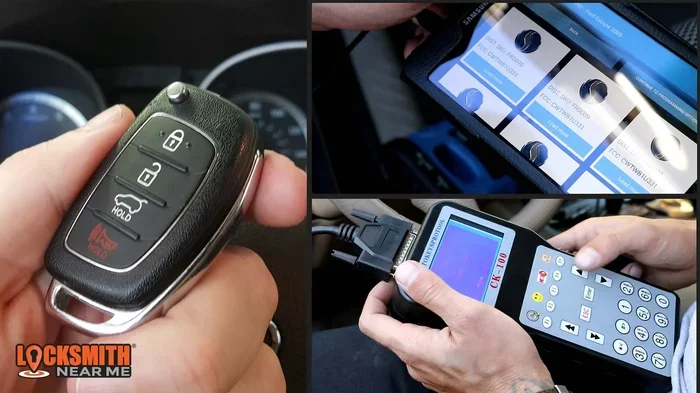
The programmable key fob is the type you can sync to your vehicle yourself. These remotes come with instructions in the vehicle owner manual. Many aftermarket remotes also include programming guides. The process usually involves a sequence of button presses on both the fob and the car.
Why You Should Program It Yourself
Dealers often charge a premium for key fob programming. A simple sync job can cost anywhere from $50 to $200 at a dealership. When you do it at home, the only cost is the price of the replacement remote. Aftermarket key fob options are widely available and work just as well as OEM remotes in most cases.
Knowing how to sync key fob devices also gives you independence. You do not need to wait for an appointment or drive across town. You can program a new remote in your driveway in about ten minutes. This skill is especially useful when you have multiple drivers in a household.
How Do I Program a Key Fob at Home Without a Dealer
The process for how do I program a key fob at home depends on your vehicle make and model. However, three main methods cover the vast majority of cars on the road today. Let us explore each one in detail.
The Universal Programming Method
This method works for many vehicles and involves using the ignition key and door locks. Here is the general process:
- Sit in the driver seat and close all doors.
- Insert the original working key into the ignition.
- Turn the key to the “On” position without starting the engine.
- Press the lock button on the working fob within five seconds.
- Turn the key back to the “Off” position.
- Remove the key from the ignition.
- Within ten seconds, press any button on the new programmable key fob.
If the new fob locks and unlocks the doors, the programming was successful. If not, repeat the process. Some vehicles require you to cycle the key on and off three times before entering programming mode.
Using the Vehicle Ignition Method
The ignition method is one of the most common key fob programming steps. It works for brands like Ford, Chevrolet, and Nissan. The key is to cycle the ignition quickly and follow the exact sequence.
Start by entering the vehicle with the original key. Close all doors and windows. Turn the ignition from “Off” to “Run” (just before starting the engine) eight times within ten seconds. The doors should lock and unlock to confirm you are in programming mode. Then press any button on the new fob within thirty seconds.
Repeat this for each additional fob you want to program. Once you are done, turn the ignition off. The new remotes should now work from a normal key fob range of about 30 to 50 feet.
The Button Sequence Method
Some vehicles use a button sequence instead of the ignition. This method is common in newer models with push button start systems. You typically need to press a combination of buttons on the driver door panel or center console.
For example, you might need to press and hold the lock button on the driver door switch, then insert and remove the key from the ignition three times. Release the lock button, and the doors will cycle to confirm programming mode. Then press the button on the new fob.
Always refer to your vehicle owner manual for the exact sequence. The manual will list the specific steps for your model year and trim level.
Step-by-Step Programming Methods for Popular Car Brands
Different car manufacturers use different procedures for key fob programming. Below are the most common methods for popular brands. Always double-check your specific model year, as steps can vary between generations.
Programming a Ford Key Fob
Ford vehicles are among the easiest to program at home. For most models from 2000 onward, follow these steps:
- Enter the vehicle with the working key and close all doors.
- Turn the ignition from “Off” to “Run” eight times within ten seconds. The eighth time, leave it in the “Run” position.
- The doors will lock and unlock to confirm programming mode.
- Within eight seconds, press any button on the new remote key fob.
- The doors will lock and unlock again to confirm the fob was accepted.
- Turn the ignition off and test the new fob from a distance.
You can repeat this process to program up to four additional fobs. Each new fob must be programmed within the time window.
Programming a Toyota Key Fob
Toyota uses a slightly different approach. For most models:
- Enter the vehicle and close all doors.
- Insert the key into the ignition and remove it within five seconds.
- Repeat this key insertion and removal cycle five times within 40 seconds.
- Close the driver door. The doors will lock and unlock to confirm programming mode.
- Press any button on the new programmable key fob within 40 seconds.
- The doors will cycle again to confirm successful programming.
Toyota also has a smart key system for models with push button start. In this case, you press and hold both the lock and unlock buttons on the working fob for about two seconds, then press the start button on the new fob while it is near the steering column.
Programming a Honda Key Fob
Honda key fob programming varies by model year. For most Hondas from the mid-2000s onward:
- Turn the ignition to the “On” position (do not start the engine).
- Press the “Program” button on the driver side dashboard. This is often hidden under a small cover near the steering column.
- The security light will turn on for about 10 seconds.
- Within that window, press any button on the new car key fob.
- The light will turn off to confirm programming.
- Repeat for additional fobs, then turn the ignition off.
Some Honda models require you to cycle the ignition between “Off” and “On” twice before pressing the program button. Check your manual for the exact sequence.
Programming a Chevrolet Key Fob
Chevrolet vehicles use the ignition cycling method for most models:
- Enter the vehicle with the working key and close all doors.
- Insert the key into the ignition and turn it to “On” (just before starting).
- Press and hold the “Set” button on the driver door panel for about five seconds.
- The vehicle will beep twice to confirm programming mode.
- Release the “Set” button and press any button on the new fob within 30 seconds.
- The vehicle will beep once to confirm the fob was programmed.
- Repeat for additional fobs, then turn the ignition off.
For newer Chevrolet models with remote start, the process may involve the infotainment system. In these cases, you may need to navigate to the “Vehicle Settings” menu on the touchscreen and follow the on-screen prompts.
Comparison Table: Key Fob Programming Methods by Brand
| Brand | Primary Method | Typical Time | Number of Fobs Supported | Difficulty Level |
|---|---|---|---|---|
| Ford | Ignition Cycling | 5-10 minutes | Up to 4 | Easy |
| Toyota | Key Insertion Cycles | 10-15 minutes | Up to 4 | Easy to Medium |
| Honda | Dashboard Program Button | 5-10 minutes | Up to 4 | Easy |
| Chevrolet | Ignition + Door Panel | 5-10 minutes | Up to 4 | Easy |
| BMW | iDrive Menu System | 15-20 minutes | Up to 4 | Medium |
| BMW | iDrive Menu System | 15-20 minutes | Up to 4 | Medium |
| BMW | iDrive Menu System | 15-20 minutes | Up to 4 | Medium |
Note: Always verify the exact method for your specific model and year. The table above provides general guidance for common models.
Quick Tips and Common Mistakes for Key Fob Programming
Quick Tips for Success
Quick Tip 1: Always use fresh batteries in the new fob before programming. A weak battery can cause the programming sequence to fail, even if the fob looks new.
Quick Tip 2: Work in a quiet environment. Background noise can distract you from hearing the confirmation beeps or door lock cycles that signal successful programming.
Quick Tip 3: Keep the original working fob nearby at all times during the process. You need it to enter programming mode and to confirm the new fob was accepted.
Quick Tip 4: Complete the entire sequence without pausing. Most key fob programming steps have strict time windows. If you hesitate too long, you will need to start over.
Quick Tip 5: Test the new fob from at least 10 feet away after programming. This ensures the key fob signal is strong and the key fob range is normal.
Common Mistakes to Avoid
Mistake 1: Skipping the manual. Every vehicle has its own programming sequence. Assuming the method from a different brand will work is a common and costly error. Always consult your vehicle owner manual first.
Mistake 2: Using the wrong type of fob. Not all replacement remotes are compatible with your vehicle. Check the part number and frequency before purchasing. An aftermarket key fob that does not match your car’s frequency will not program, no matter what you do.
Mistake 3: Entering programming mode too early. Some drivers start the sequence before closing all doors or windows. This can prevent the vehicle from recognizing the new fob. Make sure everything is sealed before you begin.
Mistake 4: Giving up too quickly. If the first attempt fails, do not assume the new fob is defective. Try the sequence two or three times. Timing is the most common issue, and a second attempt often succeeds.
Mistake 5: Forgetting to reprogram other fobs. When you program a new fob, it does not erase the existing ones. However, if you are replacing all fobs, you must program each one individually. Test all remotes after the process is complete.
Expert Insight: According to automotive locksmiths, the most common reason for failed key fob programming is rushing the sequence. Take your time, read through all the steps before starting, and have the new fob in your hand and ready to press before you begin the cycle.
Key Fob Maintenance and Troubleshooting
When Your Key Fob Stops Working
A key fob that suddenly stops responding is frustrating but usually easy to fix. The first thing to check is the battery. Most car key fob batteries last between two and three years. When the battery weakens, the key fob range decreases. You may notice you need to be closer to the car for the remote to work.
To replace the battery, use a small flathead screwdriver or a coin to pry open the fob casing. Remove the old battery and insert a new one of the same type (usually CR2025 or CR2032). Make sure the positive side faces up. Snap the casing back together and test the fob.
If a key fob battery replacement does not solve the problem, the issue may be with the fob itself. Try resetting the fob by removing the battery for 30 seconds and then reinserting it. This clears any temporary glitches in the vehicle security system.
Signal Interference and Range Issues
Sometimes the problem is not the fob but the environment. Large buildings, parking structures, and even other electronic devices can interfere with the key fob signal. If your fob works fine at home but not in the office parking garage, interference is likely the culprit.
Try standing near the driver door and pressing the button. If the fob works from close range but not from a distance, the battery may be weak or the fob antenna inside the car may have an issue. In rare cases, the vehicle’s receiver module needs professional diagnosis.
When to Replace the Entire Fob
If the fob has been dropped or exposed to water damage, internal components may be broken. A cracked circuit board or damaged antenna inside the fob cannot be repaired at home. In these cases, a key fob replacement is the best solution.
You can purchase a new OEM key fob from the dealership or a compatible aftermarket key fob online. Aftermarket remotes are significantly cheaper and work just as well for basic functions like locking and unlocking. If your vehicle has advanced features like remote start or GPS tracking, an OEM fob may be necessary.
When to Call a Professional Instead of DIY
While key fob programming is straightforward for most vehicles, there are situations where professional help is the better choice.
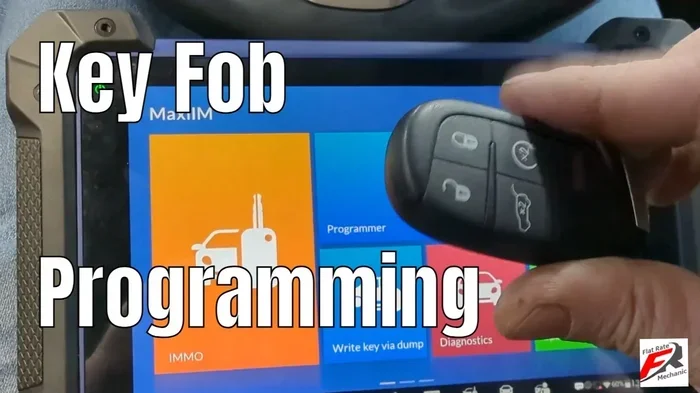
If your vehicle has a smart key system with advanced security features, the programming process may require specialized diagnostic tools. Luxury brands like BMW, Mercedes-Benz, and Audi often use proprietary programming interfaces that are difficult to access without professional equipment.
Additionally, if you have lost all working fobs and keys, you cannot enter programming mode without at least one working key. In this situation, a locksmith or dealership can provide a new key and program it on-site. This process typically costs less than a full dealership visit.
Finally, if you have tried multiple times and the new fob still will not program, there may be an underlying issue with the vehicle’s vehicle security system. A professional can diagnose whether the problem is with the fob, the receiver module, or the car’s computer system.
Key Takeaway: Programming a key fob at home is a practical skill that saves time and money. With the right information and a little patience, most drivers can complete the job in under 15 minutes. Always start with your vehicle’s manual, have the correct replacement fob, and follow the steps carefully.
Conclusion
Learning how do I program a key fob at home is one of the most useful skills a car owner can have. It empowers you to handle a common problem without relying on expensive dealership visits or locksmith services. With the right key fob replacement and a few minutes of your time, you can sync a new remote and get back on the road.
Remember, every vehicle is different. The key fob programming steps vary by brand, model, and year. Always consult your vehicle owner manual before starting. If you run into trouble, a certified locksmith can often help at a fraction of the dealership cost.
Do not let a dead fob or a lost remote disrupt your day. Take matters into your own hands and program your key fob at home without a dealer. With this guide, you have everything you need to succeed.
Frequently Asked Questions
Can I program a key fob without the original working key?
In most cases, you need at least one working key to enter programming mode. However, some vehicles allow you to program a new fob using just the key code. Check your vehicle owner manual or consult a locksmith for guidance specific to your car.
How much does it cost to program a key fob at a dealership?
Dealership programming costs typically range from $50 to $200 depending on the brand and model. Luxury vehicles and those with advanced smart key systems tend to cost more. Programming the fob yourself at home eliminates this cost entirely.
What type of battery do key fobs use?
Most car key fob remotes use a CR2025 or CR2032 coin cell battery. These are widely available at hardware stores and supermarkets. Always check your fob’s manual or the old battery label before purchasing a replacement.
How far should a programmed key fob work from the car?
A properly programmed remote key fob should work from 30 to 50 feet away in open conditions. Obstacles like buildings, walls, and other vehicles can reduce the effective key fob range. If the range is significantly shorter, try replacing the fob battery first.
Can I program an aftermarket key fob myself?
Yes, most aftermarket key fob units come with programming instructions. Make sure the aftermarket remote matches your vehicle’s frequency and button layout. If it is a universal remote, you may need to follow a different set of programming steps.
Why does my newly programmed key fob still not work?
The most common reasons are incorrect programming sequence, weak batteries in the new fob, or interference from nearby electronic devices. Try resetting the fob by removing the battery for 30 seconds. If the issue persists, double-check the key fob programming steps in your vehicle manual and try again.