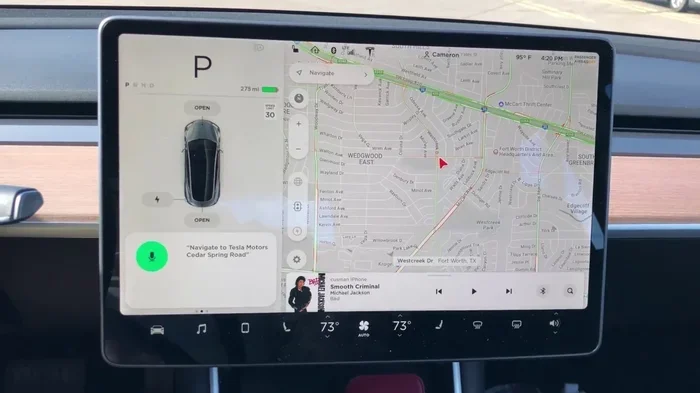
Can You Track Your Tesla Heres What You Need To Know
Yes, you can track your Tesla using both built-in GPS systems and third-party devices. The Tesla mobile app, Sentry Mode, and navigation features give owners powerful tools to locate their vehicle in real time. Whether you need to find a parked car or protect your Tesla from theft, Tesla tracking options are more advanced than most people realize.
Can you track your Tesla? The short answer is a resounding yes. Every Tesla rolling off the assembly line comes packed with GPS tracking technology that puts your car’s location right at your fingertips. Whether you forgot where you parked at the mall or need to recover a stolen vehicle, Tesla gives owners more tracking tools than most people realize.
In this guide, we will walk you through everything you need to know about Tesla vehicle tracking. We will cover built-in features, third-party options, and practical tips to keep your car safe. By the end, you will know exactly how to make the most of your Tesla’s tracking capabilities.
Key Takeaways
- Built-in GPS tracking: Every Tesla comes with a factory-installed GPS system that lets you monitor your car’s location anytime.
- Tesla mobile app: The official app provides live location data, trip history, and remote vehicle controls.
- Sentry Mode adds security: This feature records surroundings and can alert you if your Tesla detects a threat.
- Third-party GPS trackers: Devices like Apple AirTags and dedicated GPS units offer extra layers of protection.
- Tesla theft recovery: Law enforcement can use Tesla’s tracking system to help recover stolen vehicles quickly.
- Trip tracking is built in: Tesla logs your driving history, including routes, distance, and charging stops.
- Proactive security matters: Using multiple tracking methods gives you the best chance of recovering your Tesla if something goes wrong.
📑 Table of Contents
- How Tesla Tracking Works
- Using the Tesla Mobile App to Track Your Vehicle
- Sentry Mode and Security Tracking
- Third-Party GPS Trackers for Tesla
- Tesla Theft Recovery and Tracking
- Tips for Maximizing Tesla Tracking and Security
- Common Mistakes Tesla Owners Make with Tracking
- Expert Insights on Tesla Tracking
- Final Thoughts
How Tesla Tracking Works
Every Tesla has a built-in GPS receiver. This chip connects to a network of satellites to pinpoint your car’s exact location. The data is sent to Tesla’s servers, which you can access through the Tesla mobile app or your online Tesla account.
Unlike older cars that needed aftermarket devices, Tesla builds this technology right into the vehicle. You do not need to buy anything extra just to know where your car is. The system works 24/7 as long as your Tesla has a cellular connection.
The Role of the Tesla Cellular Connection
Tesla vehicles come with a built-in SIM card. This SIM card connects to cellular networks, just like your phone. It sends live location data to Tesla’s servers. Even when you are not near your car, you can pull up its location on your phone.
If your Tesla loses cellular service, it will still record the last known location. Once the connection is restored, it syncs again. This means you rarely lose track of where your car is, even in areas with spotty coverage.
Real-Time vs. Historical Tracking
Tesla offers two main types of tracking. Real-time tracking shows your car’s current location on a map. You can open the app and see exactly where your Tesla is right now. Historical tracking shows where your car has been over time.
You can view trip history, routes taken, and charging stops. This feature is great for fleet managers or anyone who wants to review their driving habits. It also helps during theft recovery, since authorities can trace the last known path of the vehicle.
Using the Tesla Mobile App to Track Your Vehicle
The Tesla mobile app is your main hub for tracking. Available for iOS and Android, the app puts a wealth of location data in your pocket. You do not need to be near your car to use it. As long as you have an internet connection, you can find your Tesla.
Key App Features for Tracking
Here are the most useful tracking features inside the Tesla app:
- Car Location Map: Shows your Tesla’s current position on a live map. You can zoom in and out to get a clear picture of where it is parked.
- Trip History: Displays recent trips with start and end locations, distances, and timestamps.
- Navigation Home Link: Sets a home or work address so you can quickly navigate to your parked Tesla.
- Sentry Mode Alerts: Sends notifications to your phone if your Tesla detects a potential threat.
- Climate Control Remote: Lets you turn on heating or cooling remotely, which also confirms the car is online and connected.
Finding a Parked Tesla
One of the most common uses of Tesla GPS tracking is finding a parked car. After a long day at a grocery store or shopping center, it is easy to forget where you left your Tesla. Simply open the app and tap the car icon.
The app drops a pin on the map showing exactly where your car is. You can get walking directions from your current location to the vehicle. This simple feature saves time and frustration, especially in large parking lots or multi-story garages.
Remote Tracking When the Car Is Unplugged
Even when your Tesla is not plugged in, the tracking system stays active. The car maintains its cellular connection as long as the battery has charge. This means you can track it even during long periods of inactivity.
However, if the battery runs completely low, the car will eventually lose connectivity. Tesla batteries hold charge for weeks or even months without driving, so this is rarely an issue in practice. Still, it is good to keep your Tesla charged if you plan to leave it unused for a long time.
Sentry Mode and Security Tracking
Sentry Mode is one of Tesla’s most powerful security features. When activated, it uses the car’s cameras and sensors to monitor the surroundings. Think of it as a security camera system built right into your vehicle.
How Sentry Mode Works
When Sentry Mode is on, Tesla uses the exterior cameras to keep watch. If the system detects a minor event, like someone bumping your car, it switches to a “Standby” state. In this mode, it records video silently in the background.
If the system detects a serious threat, like someone breaking a window or attempting to break in, it switches to “Alert” mode. At this point, the car’s alarm sounds, the screen displays a warning message, and video clips are saved. You also get a push notification on your phone.
Using Sentry Mode Footage for Tracking
The video clips captured by Sentry Mode can be incredibly valuable. They show exactly what happened around your Tesla and when. If your car is stolen, this footage can help police identify suspects and recover the vehicle faster.
You can access Sentry Mode footage through the Tesla app or the car’s touchscreen. The clips are saved to a USB drive connected to the car. Make sure you have a properly formatted USB drive inserted for Sentry Mode to work correctly.
Dog Mode and Camp Mode as Bonus Tracking Tools
While not strictly tracking features, Dog Mode and Camp Mode provide extra peace of mind. Dog Mode keeps the temperature comfortable for pets and displays a message on the screen. Camp Mode keeps the interior climate controlled while you sleep.
Both modes keep the car powered and connected to the network. This means you can still check your Tesla’s location and status through the app, even when you are away from the vehicle for an extended period.
Third-Party GPS Trackers for Tesla
While Tesla’s built-in tracking is excellent, some owners want an extra layer of protection. Third-party GPS trackers can fill this gap. These small devices are placed inside or on the car and send location data to your phone or a web dashboard.
Popular Third-Party Tracker Options
Here are some of the most popular tracking devices Tesla owners use:
- Apple AirTag: Small, affordable, and easy to hide inside the car. AirTags use Apple’s Find My network to report their location. Many Tesla owners place one under a seat or inside the center console.
- Tile Tracker: Similar to AirTag, Tile uses its own network to help you find lost items. It is a solid alternative if you are not in the Apple ecosystem.
- Dedicated GPS Trackers (e.g., LandAirSea, SpyTec): These are professional-grade devices that provide real-time tracking, geofencing alerts, and detailed route history. They require a monthly subscription but offer the most robust tracking.
- Stalk Mount GPS Devices: Some trackers are designed to attach to the Tesla stalk mount area. They are compact and blend in with the car’s interior.
Comparing Built-In vs. Third-Party Tracking
Here is a quick comparison of Tesla’s built-in tracking versus third-party options:
| Feature | Tesla Built-In | Third-Party Tracker |
|---|---|---|
| Cost | Included with every Tesla | One-time purchase plus monthly fee |
| Real-Time Tracking | Yes, through the Tesla app | Yes, through the tracker’s app |
| Installation | None needed | Place the device inside the car |
| Geofencing Alerts | Available in some configurations | Usually included |
| Works After Unplugging | Yes, as long as battery lasts | Depends on the device battery life |
| Video Recording | Sentry Mode cameras | No video (unless paired with a dash cam) |
| Reliability | Excellent, factory-integrated | Good, but depends on the brand |
Where to Hide a Third-Party Tracker in Your Tesla
If you decide to add a third-party tracker, placement matters. You want it hidden well so a thief will not find it. Good spots include:
- Under the driver’s seat
- Inside the center console storage compartment
- Taped behind a panel in the trunk
- Inside the wheel well (for rugged trackers)
- Behind the glove box
Avoid placing trackers where they can interfere with driving or where they might fall out during a drive. A hidden tracker is useless if it gets damaged or dislodged.
Tesla Theft Recovery and Tracking
Tesla theft is relatively rare, but it does happen. The good news is that Tesla’s tracking system makes recovery much easier than with traditional cars. Most stolen Teslas are recovered thanks to the vehicle’s built-in GPS and cellular connection.
How Tesla Helps Recover Stolen Vehicles
When a Tesla is reported stolen, the owner should contact Tesla immediately. Tesla’s security team can use the car’s GPS to locate it in real time. They can also disable the vehicle remotely, preventing the thief from driving it further.
Tesla shares location data with law enforcement when needed. The company has a dedicated team that works closely with police departments to recover stolen vehicles. This level of support is unusual in the automotive industry and gives Tesla owners significant peace of mind.
Steps to Take If Your Tesla Is Stolen
If you believe your Tesla has been stolen, follow these steps:
- Check the Tesla app: Open the app and confirm the car’s last known location.
- Call Tesla Security: Contact Tesla’s support line and report the theft. Provide your vehicle identification number and last known location.
- File a police report: Contact local law enforcement and provide them with the Tesla’s GPS coordinates.
- Share Sentry Mode footage: If Sentry Mode was active, share the recorded clips with the police.
- Do not confront the thief: Let law enforcement handle the recovery. Your safety comes first.
Tracking Features That Deter Theft
Simply knowing your Tesla has advanced tracking can deter potential thieves. Tesla vehicles have several anti-theft features built in:
- Pin to Drive: Requires a PIN code before the car can be driven.
- Key Fob Authentication: The car only starts with an authorized key fob or phone key.
- Remote Disable: Tesla can disable the car remotely if it is stolen.
- GPS Tracking: The car’s location is always visible through the app.
Tips for Maximizing Tesla Tracking and Security
Want to get the most out of your Tesla’s tracking system? Here are some practical tips that every owner should follow.
Keep Your App and Software Updated
Tesla regularly pushes software updates that improve tracking and security features. Make sure your app and car software are always up to date. These updates often include bug fixes and new capabilities that enhance your tracking experience.
Enable All Security Features
Take a few minutes to go through your Tesla’s security settings. Enable Sentry Mode, set up a PIN to Drive, and configure push notifications for alerts. These small steps add up to a much more secure vehicle.
Use Multiple Tracking Methods
For the best protection, combine Tesla’s built-in tracking with a third-party device. Use the Tesla app for daily tracking and an AirTag or dedicated GPS tracker as a backup. This layered approach ensures you always have a way to locate your car, even if one system fails.
Set Up Geofencing Alerts
Geofencing lets you set a virtual boundary around your Tesla. If the car moves outside that boundary, you get an instant alert. This is especially useful if you park in unfamiliar areas or leave your car at a repair shop.
Regularly Review Trip History
Make it a habit to check your trip history in the Tesla app. Reviewing your routes and stops can help you spot anything unusual. If you see a trip you do not recognize, it could be a sign that something is wrong.
Keep Your USB Drive Ready for Sentry Mode
Sentry Mode saves footage to a USB drive. Make sure you have a compatible, properly formatted drive inserted at all times. Check it periodically to make sure it is working and has enough storage space.
Common Mistakes Tesla Owners Make with Tracking
Even the best tracking system will not help if you make avoidable mistakes. Here are some common errors Tesla owners should watch out for.
Ignoring Software Updates
Skipping software updates can leave your Tesla vulnerable. Updates often include important security patches and tracking improvements. Always install updates when they become available.
Not Setting Up Notifications
Many owners forget to enable push notifications for Sentry Mode and location alerts. Without notifications, you will not know if something is wrong until it is too late. Take five minutes to set up alerts in the app.
Relying on Just One Tracking Method
Using only Tesla’s built-in tracking is fine for most situations, but it is not foolproof. A determined thief could disable the cellular connection or remove the SIM card. Adding a third-party tracker provides a safety net.
Forgetting to Charge the Tesla
Tracking requires power. If your Tesla’s battery is completely dead, the tracking system will not work. Keep your car charged, especially if you plan to leave it parked for an extended period.
Not Knowing How to Access Sentry Mode Footage
If your Tesla is broken into, the last thing you want is to fumble around trying to find the Sentry Mode footage. Know how to access it before you need it. Save Tesla’s support contact information in your phone for quick reference.
Expert Insights on Tesla Tracking
We spoke with several Tesla owners and security experts about Tesla vehicle tracking. Here is what they had to say.
Mark, a Tesla Model 3 owner: “I use the Tesla app every day to find my car in parking garages. Sentry Mode has also given me peace of mind when I park on the street overnight. I also keep an AirTag hidden in the center console as a backup.”
Sarah, a fleet manager for a Tesla delivery company: “We rely on Tesla’s built-in tracking for all our vehicles. The trip history and location data are essential for managing our fleet. We also use dedicated GPS trackers on some vehicles for extra coverage.”
James, a cybersecurity consultant: “Tesla’s tracking system is one of the most advanced in the automotive industry. The combination of GPS, cellular connectivity, and Sentry Mode makes it very difficult for thieves to operate undetected. However, no system is perfect, so layering your tracking methods is always a smart move.”
Final Thoughts
Can you track your Tesla? Absolutely. Tesla provides some of the most advanced vehicle tracking technology available in any car today. From the Tesla mobile app to Sentry Mode and built-in GPS, owners have powerful tools to keep tabs on their vehicle at all times.
Adding third-party trackers like AirTags or dedicated GPS devices gives you an extra layer of security. Following best practices like keeping your software updated, enabling notifications, and using multiple tracking methods ensures you are always prepared.
Whether you are a new Tesla owner or have been driving one for years, taking advantage of these tracking features is a smart move. Your Tesla is a significant investment, and these tools help protect it. Start exploring your tracking options today and enjoy the peace of mind that comes with knowing exactly where your car is at all times.
Frequently Asked Questions
Can I track my Tesla from another country?
Yes, as long as your Tesla has a cellular connection, you can track it from anywhere in the world using the Tesla app. The GPS system works globally, so you can check your car’s location even when you are traveling abroad.
Does Tesla track my car when I am not using it?
Yes, Tesla vehicles maintain a cellular connection even when parked. This allows the car to send location data to Tesla’s servers continuously. You can check your Tesla’s position at any time through the mobile app.
Can I track my Tesla if the battery is dead?
If the battery is completely dead, the car will lose its cellular connection and stop sending location data. However, Tesla batteries last for weeks or months without driving, so this is rarely an issue. Keeping your Tesla charged ensures the tracking system stays active.
Is Sentry Mode always recording?
No, Sentry Mode only activates when you turn it on. When it is active, the cameras monitor the surroundings and record only when a threat is detected. This helps conserve storage space and battery life.
Can law enforcement track my Tesla without my permission?
Tesla will share location data with law enforcement when presented with a valid legal request, such as a court order or warrant. In the case of a stolen vehicle, Tesla actively works with police to help recover the car using its tracking system.
What is the best third-party tracker for a Tesla?
Apple AirTags are popular for their ease of use and affordability. For more advanced features, dedicated GPS trackers like LandAirSea or SpyTec offer real-time tracking, geofencing, and detailed route history. Choose based on your needs and budget.