Can You Reprogram a HomeLink Button for Your Garage
Can You Reprogram a HomeLink Button? Yes, you absolutely can, and the process is simpler than most homeowners think. Whether you need to reset your garage door opener after buying a new vehicle, replacing an old unit, or fixing a malfunction, reprogramming your HomeLink button takes just a few minutes. This guide walks you through every step, from clearing old codes to testing your new setup. You will learn about fixed code and rolling code systems, common troubleshooting tips, and expert advice to make the process smooth and stress-free.
Have you ever pulled into your garage and realized your HomeLink button no longer works? Maybe you bought a new car, moved into a new home, or your garage door opener just stopped communicating with your vehicle. The good news is that Can You Reprogram a HomeLink Button is a question with a very straightforward answer: yes, you can.
HomeLink is a convenient wireless control system built into many vehicles. It lets you open your garage door, gate, or entry gate without fumbling for a remote. But like any electronic system, it sometimes needs a reset. Whether you are dealing with a lost remote, a new garage door opener, or just a glitchy connection, knowing how to reprogram your HomeLink button saves time and frustration.
This article covers everything you need to know. We will walk through the step-by-step process, explain the different code types, troubleshoot common problems, and share expert tips. By the end, you will feel confident reprogramming your HomeLink button on your own.
Key Takeaways
- Reprogramming is possible: You can reprogram a HomeLink button for any compatible garage door opener with just a few simple steps.
- Two code types matter: Understanding the difference between fixed code and rolling code systems is essential for successful programming.
- Clear old codes first: Always erase existing HomeLink programming before setting up a new garage door remote.
- Training mode is key: Putting your garage door opener into learning or training mode is the most critical step in the process.
- Common issues are fixable: Most HomeLink reprogramming problems, like a solid light or unresponsive door, have simple solutions.
- Timing matters: Complete each step quickly, especially when syncing the HomeLink button with your garage door motor.
- Professional help is available: If you get stuck, a garage door technician can reprogram your HomeLink button in minutes.
📑 Table of Contents
- What Is a HomeLink Button and How Does It Work?
- Why Would You Need to Reprogram Your HomeLink Button?
- Can You Reprogram a HomeLink Button? Here Is the Full Guide
- Fixed Code vs Rolling Code: Understanding the Difference
- Common Problems When Reprogramming a HomeLink Button
- Expert Tips for a Smooth HomeLink Reprogramming Experience
- When to Call a Professional
- Conclusion
What Is a HomeLink Button and How Does It Work?
How HomeLink Technology Works in Your Vehicle
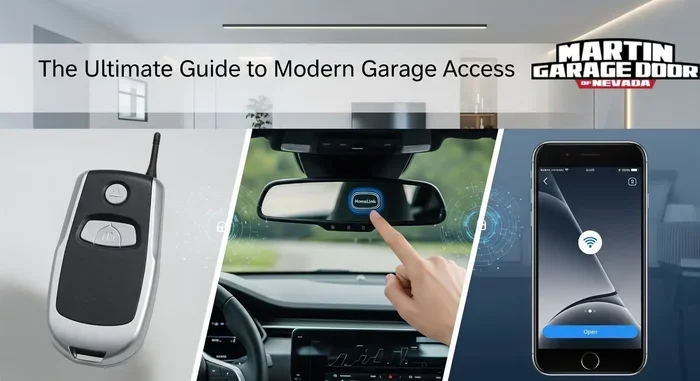
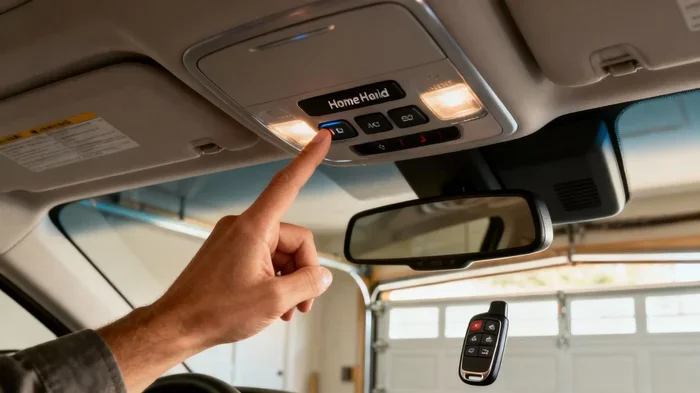
A HomeLink button is a small wireless control module installed inside your vehicle. It is usually mounted on the overhead console, the sun visor, or the rearview mirror area. Most vehicles come with three HomeLink buttons grouped together. These buttons communicate with your garage door opener using radio frequency signals, typically at 315 MHz or 390 MHz.
When you press a HomeLink button, it sends a coded signal to your garage door motor. The motor receives the signal and triggers the door to open or close. This entire process happens in less than a second. It feels like magic, but it is actually clever radio frequency technology working behind the scenes.
The HomeLink system has been around since the 1990s and has become a standard feature in many cars, trucks, and SUVs. Major automakers like Ford, Chevrolet, Toyota, Honda, and BMW all offer HomeLink integration. Some newer vehicles even use a HomeLink myQ app that connects to your smartphone, adding another layer of convenience to your garage door opener setup.
Which Vehicles Support HomeLink?
Most vehicles manufactured after 2000 include HomeLink compatibility. If you are not sure whether your car has HomeLink, look for three small buttons on your overhead console. They are usually labeled 1, 2, and 3. Some older vehicles may have a single HomeLink button or a sliding switch instead.
If your vehicle does not have built-in HomeLink, you can still add it. Universal HomeLink transmitters plug into your vehicle’s cigarette lighter or OBD-II port. These aftermarket devices give you the same convenience at a low cost. They are a great option for older cars or vehicles that do not come with factory HomeLink.
Why Would You Need to Reprogram Your HomeLink Button?
Changing Your Garage Door Opener
One of the most common reasons to reprogram a HomeLink button is getting a new garage door opener. Maybe your old unit finally gave out after years of use. Perhaps you upgraded to a smarter model with better security features. Whatever the reason, a new garage door motor will have a different code than your old one. Your existing HomeLink button will not recognize the new opener until you reprogram it.
This is especially true if you are switching brands. A Chamberlain opener, for example, uses different communication protocols than a LiftMaster or Genie unit. Reprogramming ensures your HomeLink button speaks the same language as your new garage door motor.
Buying a New Vehicle
When you buy a new car, the HomeLink system comes completely blank. It has no previous garage door codes stored in its memory. You need to program it from scratch to link it with your garage door opener. This is a quick process, but it is an essential step before you can use HomeLink in your new vehicle.
Some people also buy used cars with pre-programmed HomeLink buttons. In that case, it is a good idea to clear the old codes and reprogram your own. You never know whose garage door the previous owner had linked.
After a Power Outage or System Reset
Power outages, electrical surges, or accidental resets can wipe your HomeLink programming. If your garage door will not respond to your HomeLink button after a storm or electrical work, reprogramming is the fix. The system simply lost its stored memory and needs to be set up again.
Similarly, if you recently replaced your garage door remote control batteries or reset your garage door opener for security reasons, your HomeLink button will also need a fresh programming session.
Can You Reprogram a HomeLink Button? Here Is the Full Guide
Now that you understand why reprogramming is necessary, let us get into the actual process. Reprogramming a HomeLink button is a straightforward task that most homeowners can complete in under ten minutes. Follow these steps carefully, and you will have your garage door working with your vehicle again in no time.
Step 1: Locate the HomeLink Buttons
First, find your HomeLink buttons inside your vehicle. They are typically located on the overhead console, the driver’s side sun visor, or near the rearview mirror. Press and hold any one of the three buttons for about 20 seconds. The HomeLink indicator light will turn on. This confirms the system is active and ready for programming.
If your vehicle has a HomeLink training button, it may be located near the garage door motor unit itself. Check your vehicle owner’s manual for the exact location. Some models require you to remove a small cover to access the training button.
Step 2: Clear Existing Programming
Before programming a new garage door, you need to erase any old codes. Press and hold the HomeLink button you want to reprogram for about 10 seconds. The indicator light will blink, then stay solid. Release the button. Now press and hold the same button again for another 10 seconds. The light should blink rapidly. This means the old code has been cleared.
Some HomeLink systems have a dedicated “learn” or “erase” function. If your vehicle has this feature, use it to clear all stored codes at once. Consult your vehicle manual for specific instructions on how to access this function.
Step 3: Put Your Garage Door Opener in Training Mode
Now go to your garage door motor unit. Find the “learn” or “training” button. It is usually located on the back or side of the motor head. Some models have a small recessed button that you need a ladder to reach. Press the learn button once. The indicator light on the motor unit will turn on or start blinking.
You typically have about 30 seconds to complete the next step. Work quickly but carefully. If you miss the window, simply press the learn button again and start over.
Step 4: Train the HomeLink Button
Return to your vehicle and press and hold the HomeLink button you want to program. Hold it for about 20 seconds. You should see the HomeLink indicator light blink slowly or change color. This means the HomeLink system is sending a signal to your garage door opener.
Release the HomeLink button. Go back to the garage door motor and check if the learn light has turned off. If it has, the pairing was successful. If the light is still blinking, go back to the vehicle and try pressing the HomeLink button again.
For rolling code systems, you may need to repeat this process two or three times. The garage door opener and the HomeLink system need to exchange rolling codes several times to establish a secure connection.
Step 5: Test the New Programming
Once the programming is complete, test your HomeLink button. Press it once and stand back. Your garage door should respond immediately by opening or closing. If it does not work, do not panic. Repeat the training steps and make sure you are within range of the garage door motor.
Also test the door’s safety features. Press the HomeLink button and wave a piece of cardboard in front of the garage door sensor. The door should stop and reverse. This confirms that your garage door sensor is still functioning properly after the reprogramming.
Quick Tips for a Successful Reprogramming
- Work in a well-lit garage: You need to see the indicator lights on both the HomeLink system and the garage door motor clearly.
- Keep your vehicle running: Some HomeLink systems require the ignition to be in the “on” position during programming.
- Stay close to the motor unit: Stand near the garage door opener during the training phase for the strongest signal.
- Have your garage door remote handy: If the HomeLink button fails, you can use your handheld remote to confirm the motor unit is working.
- Be patient with rolling codes: These systems require multiple signal exchanges. Do not give up after the first attempt.
Fixed Code vs Rolling Code: Understanding the Difference
When learning how to reprogram a HomeLink button, one of the most important things to understand is the difference between fixed code and rolling code garage door openers. These two systems work very differently, and the reprogramming process varies slightly for each.
What Is a Fixed Code System?
A fixed code system uses the same access code every time you press your garage door remote. The code never changes. This was the standard in older garage door openers manufactured before the mid-1990s. Fixed code systems are easier to program because the HomeLink button simply needs to match the static code from the remote.
However, fixed code systems are less secure. Because the code never changes, someone with a signal scanner could potentially copy your code and gain access to your garage. For this reason, most modern garage door openers use rolling code technology instead.
What Is a Rolling Code System?
A rolling code system generates a new, unique code every time you press your remote. The garage door motor and the remote both sync their code generators so they always match. This makes it nearly impossible for someone to copy your signal and break into your garage.
Most modern garage door openers from brands like Chamberlain, LiftMaster, Craftsman, and Genie use rolling code technology. When you reprogram your HomeLink button for a rolling code system, you need to follow the training process carefully. The system needs several signal exchanges to establish a secure connection.
Which One Do You Have?
If your garage door opener was manufactured after 1996, it almost certainly uses rolling code. You can also check your owner’s manual or look for a “learn” button on the motor unit. Fixed code systems are rare in modern homes, but if you have an older opener, the programming process is generally simpler.
| Feature | Fixed Code | Rolling Code |
|---|---|---|
| Code Changes Each Use | No | Yes |
| Security Level | Low | High |
| Common Era | Pre-1996 | Post-1996 |
| Reprogramming Difficulty | Easy | Moderate |
| Signal Interference Risk | Higher | Lower |
| Brands | Older models | Chamberlain, LiftMaster, Genie, Craftsman |
Common Problems When Reprogramming a HomeLink Button
Even when you follow the steps correctly, things can go wrong. Here are the most common issues homeowners face when reprogramming a HomeLink button and how to fix them.
The HomeLink Light Stays Solid
If the HomeLink indicator light stays solid and does not blink during programming, it usually means the system is not entering training mode. This can happen if you hold the button for too short a time. Try holding the HomeLink button for a full 20 seconds before moving to the next step. Also make sure your vehicle ignition is in the “on” or “accessories” position.
The Garage Door Does Not Respond
A non-responsive garage door after reprogramming can be frustrating. First, check that your garage door opener motor has power. Look at the indicator light on the motor unit. If it is off, check your circuit breaker. If the motor has power but still does not respond, the rolling codes may not have synced properly. Repeat the training process and make sure you complete each step within the time window.
Another common cause is distance. Stand closer to the garage door motor unit during the training phase. The signal between the HomeLink system and the motor needs to be strong for successful pairing.
Interference From Other Devices
Other electronic devices can sometimes interfere with HomeLink programming. Baby monitors, wireless security cameras, and even neighboring garage door openers can create signal conflicts. If you are having trouble, try turning off nearby electronic devices and attempt the reprogramming again.
Also, make sure you are not trying to program your HomeLink button to a garage door that belongs to a neighbor. This happens more often than you might think, especially in closely spaced garages.
Expert Tips for a Smooth HomeLink Reprogramming Experience
Keep Your Garage Door Opener Manual Handy
Every garage door opener brand has slightly different instructions for entering training mode. Chamberlain, LiftMaster, Genie, and Craftsman all have their own quirks. Before you start reprogramming your HomeLink button, grab your garage door opener manual. It will tell you exactly where the learn button is and how long to hold it.
If you have lost your manual, you can usually find a digital copy on the manufacturer’s website. Simply search for your model number and look for the “programming” or “installation” section.
Use a Second Person for Faster Setup
Reprogramming is much easier with a helper. One person stays in the vehicle pressing the HomeLink button while the other stands near the garage door motor. This way, you can quickly confirm when the learn light changes and when the pairing is successful. It saves time and reduces frustration.
Update Your HomeLink Firmware When Needed
Some newer HomeLink systems, especially those integrated with HomeLink myQ, receive firmware updates. These updates can improve compatibility with newer garage door openers and fix programming bugs. Check the HomeLink website or your vehicle manufacturer’s portal for any available updates before you start reprogramming.
Updating firmware is especially important if you have a newer garage door opener with advanced security features. Older HomeLink firmware may not support the latest rolling code protocols.
Consider a Universal Remote as a Backup
If you continue having trouble with HomeLink reprogramming, a universal garage door remote can serve as a reliable backup. These remotes work with almost all garage door opener brands and often have a simpler programming process. You can mount the universal remote on your visor and use it alongside or instead of HomeLink.
Popular universal remotes from brands like Linear, LiftMaster, and Chamberlain are affordable and widely available. They are a great option for older vehicles or situations where HomeLink reprogramming proves difficult.
When to Call a Professional
Most homeowners can reprogram their HomeLink button without any help. But sometimes, professional assistance is the right choice. If you have tried the steps above multiple times and your HomeLink button still does not work, it may be time to call a garage door technician.
A professional can diagnose whether the issue is with your HomeLink system, the garage door motor, or the garage door sensor. They have specialized tools and experience that can resolve complex problems quickly. Many garage door companies offer HomeLink programming services as part of their regular maintenance calls.
This is especially true if your garage door opener is an older model that does not support modern rolling code technology. A technician can help you upgrade to a newer opener that is fully compatible with HomeLink and offers better security features.
Conclusion
Can You Reprogram a HomeLink Button? Absolutely yes. Whether you are setting up a new garage door opener, switching to a new vehicle, or fixing a stubborn connection issue, reprogramming your HomeLink button is a skill every homeowner should have. The process is simple, takes just a few minutes, and saves you the cost of a service call.
Remember to clear your old codes first, put your garage door motor into training mode, and complete each step within the time window. Understand whether your system uses fixed code or rolling code, and be patient if it takes a few tries. Use the troubleshooting tips in this guide whenever you run into problems.
With the knowledge in this article, you can confidently reprogram your HomeLink button and get back to enjoying the convenience of hands-free garage door operation. Keep your garage door opener manual handy, stay patient, and trust the process. Your HomeLink system will be working perfectly again in no time.
Frequently Asked Questions
How long does it take to reprogram a HomeLink button?
The entire process usually takes between five and ten minutes. Clearing old codes takes a couple of minutes, and the training phase with your garage door opener takes another few minutes. If you are working with a rolling code system, it may take slightly longer due to the multiple signal exchanges required.
Why won’t my HomeLink button work after reprogramming?
The most common reason is that the training process was not completed properly. Try repeating the steps and make sure you hold each button for the full recommended time. Also check that your garage door opener has power and that the motor unit’s learn light is blinking during training. Interference from nearby electronic devices can also cause issues.
Can I reprogram my HomeLink button to a different garage door?
Yes, you can reprogram your HomeLink button to work with a different garage door. Simply clear the existing programming and follow the training steps with the new garage door opener. This is useful when you move to a new home or when multiple garage doors share the same HomeLink system in your vehicle.
Do I need any special tools to reprogram my HomeLink button?
No special tools are needed. You only need access to your vehicle’s HomeLink buttons, your garage door motor unit, and a ladder if the learn button is hard to reach. A well-lit garage and a bit of patience are the only other things you will need to successfully reprogram your HomeLink button.
Is it safe to reprogram a HomeLink button myself?
Yes, it is completely safe. Reprogramming your HomeLink button does not involve any electrical wiring or dangerous procedures. It is a simple software reset that you can do yourself in your garage. If you ever feel unsure, consult your vehicle owner’s manual or contact a garage door professional for guidance.
Can I use my phone instead of HomeLink to open my garage door?
Yes, many modern garage door openers offer smartphone integration through apps like myQ or MyQ. These apps connect to your garage door motor via Wi-Fi and let you open and close your door from anywhere. However, a HomeLink button still offers the fastest and most convenient in-vehicle control, especially when you are arriving home with your hands full.
=== CONCLUSION ===
Can You Reprogram a HomeLink Button for Your Garage? Yes, and now you know exactly how to do it. From understanding the difference between fixed code and rolling code systems to following the step-by-step training process, you have all the tools you need to succeed. Keep this guide bookmarked for future reference, and share it with anyone who needs help with their HomeLink system. A working HomeLink button makes your daily routine smoother and your home more convenient.