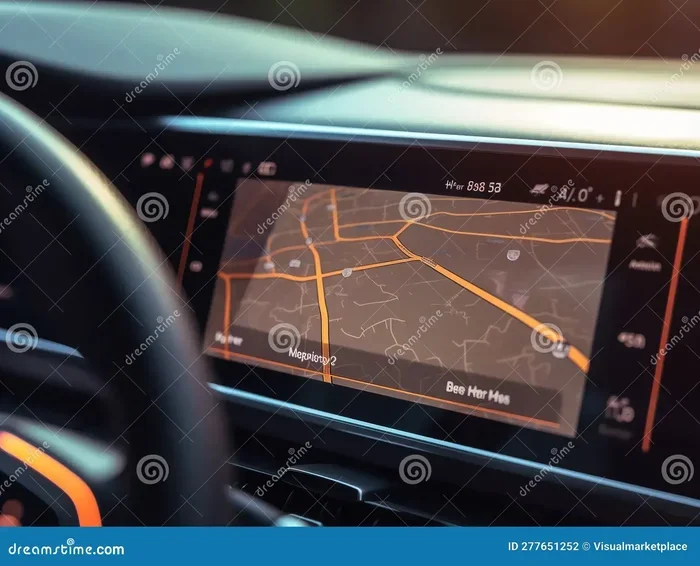
What Is the Difference Between GPS and a Navigation System
GPS refers to the satellite technology that pinpoints your location, while a navigation system is the full package that uses GPS data to guide you from point A to point B. Many people use these terms interchangeably, but they are not the same thing. Understanding this difference helps you choose the right tools for driving, road trips, and everyday commuting. This guide breaks down everything you need to know in simple, clear terms.
Have you ever wondered what is the difference between GPS and a navigation system? You are not alone. These two terms get tossed around all the time, and most people use them as if they mean the same thing. But here is the truth. They are actually quite different. And understanding that difference can save you money, time, and a lot of confusion when you are shopping for car tech.
GPS stands for Global Positioning System. It is a network of satellites orbiting the Earth. These satellites send signals down to receivers on the ground. A navigation system, on the other hand, is the full package. It uses GPS data plus maps, software, and turn-by-turn directions to get you where you need to go. Think of GPS as the eyes that know where you are. Think of a navigation system as the brain that figures out how to get you somewhere.
In this article, we will break everything down. You will learn how each one works, what makes them different, and which one you actually need. We will cover GPS technology, navigation devices, smartphone apps, and much more. By the end, you will never mix up these two terms again.
Key Takeaways
- GPS is a satellite-based technology: It tells you where you are on the Earth using signals from orbiting satellites.
- A navigation system is the complete tool: It uses GPS data plus maps, software, and directions to guide you to your destination.
- They work together but serve different purposes: GPS gives you location; navigation gives you directions.
- Smartphones can do both: Modern phones combine GPS receivers with navigation apps to offer full-featured guidance.
- Dedicated car navigation units still exist: They offer benefits like larger screens and better signal in remote areas.
- Knowing the difference saves money: You can avoid paying for features you do not actually need.
📑 Table of Contents
What Is GPS?
GPS stands for Global Positioning System. It is a satellite-based radio navigation system run by the United States government. A fleet of over 30 satellites orbits the Earth. They constantly send signals down to GPS receivers on the ground. These receivers pick up the signals and calculate your exact location. This process is called trilateration. It uses the distance from at least four satellites to pinpoint where you are.
How GPS Works in Simple Terms
Here is how GPS works in a nutshell. Satellites fly high above the Earth. They send out continuous radio signals. Your GPS receiver picks up those signals. It measures the time each signal takes to arrive. Using that timing data, it calculates your distance from each satellite. With signals from at least four satellites, it figures out your latitude, longitude, altitude, and speed. That is it. GPS does not give you directions. It does not show you maps. It simply tells you where you are.
Common Uses of GPS Technology
GPS technology is everywhere. You use it more than you probably realize. Here are some common uses:
- Location tracking on your phone or fitness watch
- Fleet management for delivery trucks and company vehicles
- Aviation and maritime navigation for pilots and ship captains
- Search and rescue operations to locate people in emergencies
- Agriculture for precision farming and equipment guidance
- Surveying and mapping by construction and land professionals
As you can see, GPS has many uses beyond just driving. It is a foundational technology that powers countless applications. But on its own, it cannot tell you to turn left on Maple Street. That is where navigation comes in.
What Is a Navigation System?
A navigation system is a complete tool designed to guide you from one place to another. It uses GPS data as one of its inputs. But it also includes maps, route calculations, turn-by-turn directions, and often voice guidance. A navigation system takes your starting point and your destination. It then calculates the best route. It guides you step by step along the way.
Types of Navigation Systems
Not all navigation systems look the same. There are several types you should know about:
- Built-in car navigation units: These come factory-installed in many vehicles. They have a dedicated screen mounted on the dashboard.
- Portable GPS navigation devices: Think of devices like the old Garmin or TomTom units. You mount them on your windshield and they work independently.
- Smartphone navigation apps: Apps like Google Maps, Apple Maps, and Waze turn your phone into a full navigation system.
- Integrated infotainment systems: Modern cars often have screens that combine navigation, audio, and vehicle controls into one system.
Key Features of a Navigation System
A good navigation system offers more than just a map. Here are the features that make navigation systems truly useful:
- Turn-by-turn directions: Voice prompts that tell you when to turn or change lanes.
- Live traffic updates: Real-time data about congestion, accidents, and road closures.
- Route planning: Options for the fastest route, shortest route, or route that avoids tolls.
- Points of interest: Search for gas stations, restaurants, hotels, and more along your route.
- Voice guidance: Audio directions so you can keep your eyes on the road.
- Map display: Visual representation of roads, landmarks, and your current position.
- Offline maps: The ability to navigate without an internet connection.
Notice something important here. A navigation system needs GPS to work, but GPS does not need a navigation system. GPS just provides location data. The navigation system is what turns that data into useful guidance. This distinction is at the heart of understanding the difference.
How GPS and Navigation Work Together
GPS and navigation systems are partners. They work hand in hand. But they each play a different role. GPS provides the location data. The navigation system uses that data to build routes and give directions.
The Relationship Between GPS Signals and Map Data
Here is a simple way to think about it. GPS tells the system, “You are here.” The navigation system then checks its maps and says, “Here is how to get to where you want to go.” Without GPS signals, a navigation system has no idea where you are. Without maps and routing software, GPS signals are just numbers with no meaning.
Most modern navigation systems also use additional data sources. They pull in traffic information from cellular networks. They receive map updates over Wi-Fi or cellular connections. Some even use sensors like accelerometers and gyroscopes to track movement when GPS signals are weak. This combination of technologies creates a seamless driving experience.
GPS Receiver vs. Navigation Software
A GPS receiver is the hardware component. It is the chip or device that picks up satellite signals. Navigation software is the program that processes that data. It overlays your location on a map. It calculates routes. It speaks directions to you. Many people confuse the GPS receiver with the navigation software. They think buying a “GPS” means getting directions. But a GPS receiver alone does not do that. You need the software layer to make it useful.
Key Differences at a Glance
Let us lay it all out clearly. The table below highlights the main differences between GPS and a navigation system.
| Feature | GPS | Navigation System |
|---|---|---|
| Primary Function | Determines your exact location | Provides directions from point A to point B |
| Technology | Satellite-based radio signals | Combines GPS, maps, software, and sometimes cellular data |
| Does It Show Maps? | No | Yes |
| Does It Give Directions? | No | Yes |
| Needs Internet? | No | Sometimes, for live traffic and map updates |
| Examples | GPS chip in your phone, standalone GPS tracker | Google Maps, built-in car screen, Garmin device |
| Standalone Capability | Yes, works independently | No, it depends on GPS or other location sources |
| Cost | Free to use (satellite signals) | Can be free (apps) or paid (dedicated units) |
As you can see from the table, GPS is a component. A navigation system is the complete solution. One feeds into the other. Neither is useless on its own. But they serve very different purposes in the driving experience.
Which One Do You Need for Your Car?
This is the question most people really want answered. And the answer depends on your situation. Let us break it down.
When GPS Alone Is Enough
You might only need basic GPS tracking in some cases. For example, if you want to track your teen driver, a GPS tracker gives you location data. If you are monitoring a delivery fleet, GPS receivers provide the location information your fleet management software needs. In these cases, you do not need a full navigation system. You just need to know where things are.
When You Need a Full Navigation System
If you drive regularly and want turn-by-turn directions, you need a navigation system. This is especially true for road trips to unfamiliar areas. A good navigation system helps you find the best route. It warns you about traffic. It guides you through complex interchanges. Without it, you would be stuck reading a paper map or guessing which exit to take.
Smartphone Navigation: The Best of Both Worlds
For most people today, a smartphone is the answer. Modern phones have built-in GPS receivers. They also run powerful navigation apps. This means your phone gives you both GPS location and full navigation features. Apps like Google Maps, Apple Maps, and Waze offer live traffic, voice guidance, and offline maps. They are convenient, free, and constantly updated.
However, there are downsides. Phone GPS can drain your battery quickly. Phone screens are smaller than dedicated car screens. And phone navigation depends on cellular data for many features. If you lose signal, some features stop working.
Dedicated GPS Navigation Units
Some drivers still prefer dedicated devices. These standalone units have larger screens and better GPS antennas. They work even in areas with poor cellular coverage. Brands like Garmin and TomTom still make excellent dedicated navigation devices. They are especially popular with truck drivers, RV owners, and people who frequently drive in areas with weak cell signals.
Quick Tips for Choosing the Right System
- For daily commuting: A smartphone navigation app is usually all you need.
- For road trips in remote areas: Consider a dedicated GPS navigation unit with offline maps.
- For fleet tracking: A GPS tracker with location reporting is sufficient.
- For large vehicles like RVs: Use a navigation system that accepts vehicle dimensions and avoids low bridges.
- Always check for map updates: Outdated maps can lead you down wrong roads.
Common Mistakes People Make
Even though GPS and navigation systems are different, many people make mistakes because of the confusion. Here are some common errors to avoid.
Assuming GPS Means Directions
The biggest mistake is thinking that having GPS means you have navigation. A GPS tracker on a delivery van tells the company where the van is. It does not tell the driver where to go. Make sure you understand what you are actually buying or using.
Ignoring Map Updates
Navigation systems depend on accurate map data. Roads change. New routes are built. Businesses open and close. If your maps are outdated, your directions will be wrong. Always keep your maps updated, whether on a dedicated device or a phone app.
Relying Only on GPS Signal
GPS signals can be weak in tunnels, dense forests, and urban canyons between tall buildings. A good navigation system compensates for this. It uses dead reckoning, cellular data, and other sensors to keep guiding you. Do not assume your GPS will work perfectly everywhere.
Overlooking Battery and Data Costs
Running navigation on your phone all day drains the battery fast. It also uses cellular data for live traffic and map loading. If you travel frequently, consider a dedicated device or a car charger with fast charging. Keep an eye on your data usage if you are on a limited plan.
Expert Insights on GPS and Navigation
We spoke with automotive technology experts to get their take on the GPS vs. navigation system debate. Here is what they had to say.
Dr. Sarah Chen, Automotive Tech Researcher: “The confusion between GPS and navigation comes from the fact that they are so tightly integrated now. When you open Google Maps, you do not see the separation. But under the hood, the GPS receiver is just one part of a much larger system. Understanding that helps consumers make better purchasing decisions.”
Mike Torres, Fleet Management Specialist: “In our industry, GPS tracking and navigation are completely separate tools. We use GPS to know where our trucks are. We use separate navigation software to plan routes and dispatch drivers. Conflating the two leads to buying the wrong equipment.”
Lisa Nguyen, Consumer Tech Reviewer: “My advice is simple. If you just need to know where you are, GPS is enough. If you need to know how to get somewhere, you need a navigation system. Most people need both, and their smartphone already delivers both in one package.”
Final Thoughts
The difference between GPS and a navigation system is clearer than most people think. GPS is the satellite technology that tells you your location. A navigation system is the complete tool that uses that location data to guide you to your destination. They work together, but they are not the same thing.
For everyday driving, your smartphone gives you both in one convenient package. For specialized needs like fleet tracking or off-road navigation, understanding the difference helps you choose the right equipment. The next time someone asks you what is the difference between GPS and a navigation system, you will have a clear, confident answer.
Take a moment to think about how you use these technologies in your daily life. Are you getting the most out of them? Are you paying for features you do not need? Armed with this knowledge, you can make smarter choices. And that means better driving, less stress, and more confidence on the road.
Whether you stick with your phone, invest in a dedicated unit, or use both, the important thing is that you understand what you are using. Technology should make your life easier. And now you have the knowledge to make it work for you.
Frequently Asked Questions
Can GPS work without a navigation system?
Yes, GPS can work completely on its own. A GPS receiver picks up satellite signals and tells you your exact coordinates. It does not need maps, directions, or internet. However, without a navigation system, you will not get turn-by-turn guidance or route planning.
Is a navigation system the same as a GPS device?
No, they are not the same. A GPS device only receives satellite signals to determine your location. A navigation system includes GPS plus maps, routing software, and directions. Many people use the terms interchangeably, but that is technically incorrect.
Do I need internet for GPS or navigation?
GPS signals do not require internet at all. They work anywhere with a clear view of the sky. Navigation systems sometimes need internet for live traffic updates, map downloads, and search results. However, many navigation apps offer offline maps that work without a data connection.
Can my phone be both a GPS receiver and a navigation system?
Absolutely. Modern smartphones have built-in GPS receivers and run full navigation apps. This means your phone can pinpoint your location and give you directions at the same time. It is the most common way people use both technologies today.
Are dedicated GPS navigation units still worth buying?
They can be worth it in certain situations. Dedicated units often have better GPS antennas, larger screens, and offline maps. They are ideal for truck drivers, RV owners, and people who travel in areas with poor cell coverage. For most casual drivers, a smartphone app is sufficient.
What is the difference between GPS tracking and GPS navigation?
GPS tracking focuses on recording and sharing location data over time. It is used for fleet management, asset tracking, and personal safety. GPS navigation focuses on guiding you from one place to another. Tracking tells you where something is. Navigation tells you how to get somewhere.