Can I Unlock My RAV4 With My Phone Instead of a Key
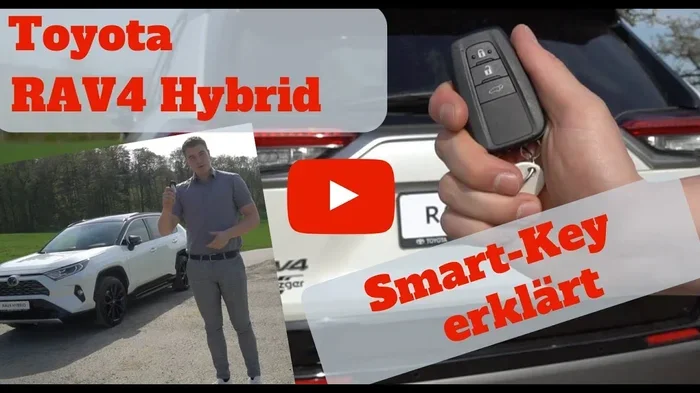
Yes, you can unlock your RAV4 with your phone using Toyota’s phone-as-a-key feature. This digital key replaces your traditional key fob and lets you lock, unlock, and start the engine right from your smartphone. The RAV4 supports both Apple Wallet and Google Wallet, making it one of the most convenient Toyota RAV4 keyless entry systems available.
So, can I unlock my RAV4 with my phone? The answer is a resounding yes. You no longer need to dig through your pockets for a bulky key fob. Your smartphone can now open the doors, start the engine, and even let you share access with family members. This is not science fiction. Toyota has built this feature right into the RAV4 for several model years now.
The Toyota RAV4 keyless entry system has evolved fast. What once required a separate smart key card or fob now lives right on your phone. You just tap your device against the door handle or walk up with your phone in your pocket. The car recognizes you and unlocks instantly. It feels seamless and modern. If you have ever fumbled for keys in the rain, this change is a game changer.
In this guide, I will walk you through everything you need to know. I will explain how the technology works, how to set it up, what you can do with it, and how it compares to a traditional key. I will also cover compatibility and troubleshooting. By the end, you will know exactly whether can I unlock my RAV4 with my phone is a question you need to ask at all.
Key Takeaways
- You can absolutely use your phone as a key: The RAV4 supports phone-as-a-key technology through the Toyota app.
- Setup takes just a few minutes: Download the Toyota app, pair your phone, and you are ready to go.
- Unlock, lock, and start the engine from your phone: No physical key is needed for daily use.
- Share digital keys with up to five people: Family members can use their phones to access your RAV4.
- Works with both iPhone and Android: Apple Wallet and Google Wallet are both supported.
- Battery impact is minimal: The phone key uses low-energy Bluetooth and NFC, so your phone battery stays healthy.
📑 Table of Contents
- Can I Unlock My RAV4 With My Phone? The Short Answer Is Yes
- How Does Phone-as-a-Key Technology Work in the RAV4?
- Setting Up Your Phone as a Key: A Step-by-Step Guide
- What Can You Do With Your RAV4 Phone Key?
- Phone Key vs. Traditional Key: A Side-by-Side Comparison
- Troubleshooting and Expert Tips for a Seamless Experience
- Is Your RAV4 Model Compatible? Check the List
- Final Thoughts: Should You Ditch the Key Fob?
- Key Takeaways
Can I Unlock My RAV4 With My Phone? The Short Answer Is Yes
The RAV4 phone key feature is part of Toyota’s broader push toward digital convenience. It uses a technology called phone-as-a-key. Your iPhone or Android device becomes a secure digital credential. The car talks to your phone using near-field communication (NFC) and Bluetooth Low Energy (BLE). When you approach the vehicle, the RAV4 senses your phone and presents the lock or unlock option on the door display.
You do not need to take your phone out of your pocket or bag. Just walk up to the driver’s door. The handle illuminates. You pull it, and the door opens. To start the engine, you press the start button while the phone is inside the cabin. The car verifies the digital key and fires up. This is called smartphone unlock and keyless entry, and it is standard on many RAV4 trims equipped with the Toyota Smart Key System.
The feature works with both Apple Wallet and Google Wallet. You add the digital key to your phone’s wallet app. From that point on, your phone acts as a digital key card and a phone key fob combined. You can even share a temporary digital key with a friend or family member through the Toyota app. They can unlock and start the RAV4 using their own phone. That is the power of RAV4 digital key technology.
How Does Phone-as-a-Key Technology Work in the RAV4?
The Simple Science Behind Digital Keys
Toyota’s phone-as-a-key system relies on two wireless technologies. The first is NFC, which works over a very short distance. You tap your phone against the door handle sensor to unlock the car. The second is BLE, which allows the car to detect your phone from a few meters away. This is called passive entry. You do not need to do anything. The car just knows you are there.
Both technologies are extremely secure. The digital key uses encrypted certificates. The RAV4 and your phone exchange unique codes every time. This prevents cloning or unauthorized access. Toyota also requires you to authenticate with your phone’s biometric security, like Face ID or a fingerprint, before the digital key becomes active. This adds a strong layer of protection.
You might wonder about battery life. The RAV4 phone key uses BLE, which draws very little power. Your phone battery will not drain noticeably because of the digital key. Even if you use the feature multiple times a day, the impact is negligible. This is a major advantage over traditional key fobs, which need their own battery replacements every year or so.
What Happens If You Lose Your Phone?
Losing your phone is stressful, but Toyota built in a safety net. You can remotely suspend the digital key using the Toyota app from another device. The lost phone’s key becomes invalid immediately. You can then pair a new phone or use a backup physical key. The RAV4 still comes with a traditional key fob or a smart key card in the glovebox for exactly this reason. So you are never completely stranded.
Setting Up Your Phone as a Key: A Step-by-Step Guide
Supported Devices and Requirements
Before you start, you need a compatible phone. Not every device works with the RAV4 digital key. Here is what you need:
- iPhone: iPhone XS or later, running iOS 16 or newer. Your iPhone must have NFC and Face ID or Touch ID.
- Android: Samsung Galaxy S21 or later, Google Pixel 6 or later, and other phones with NFC and Android 12 or higher. The phone must support Google Wallet.
- RAV4 Model: The RAV4 must be a 2022 or newer model with the Toyota Smart Key System. You also need an active Toyota Remote Connect subscription.
Check your RAV4 owner’s manual or the Toyota app to confirm your specific model year. The phone key compatibility list is updated regularly as new phones are released.
The Setup Process
Setting up your phone as a key is straightforward. Follow these steps to get your RAV4 digital key running:
- Download the Toyota app: Get the official Toyota app from the App Store or Google Play Store. Create a Toyota account if you do not have one.
- Link your RAV4: Sign in and select your RAV4 from your connected vehicles. Make sure the car is in pairing mode. You can usually do this from the infotainment screen under Settings > Phone Key.
- Add the digital key to your wallet: The app will guide you to add the key to Apple Wallet or Google Wallet. Follow the on-screen prompts. You may need to authenticate with your phone’s security method.
- Test the key: Walk up to your RAV4 with your phone in your pocket or bag. Try unlocking the door by pulling the handle. Then sit inside and press the start button. The engine should start without needing the physical fob.
- Share the key (optional): In the Toyota app, go to the Phone Key section. You can invite other Toyota app users and send them a digital key. They will receive a notification and can add it to their own wallet.
The entire process takes less than ten minutes. Once set up, you will likely never go back to searching for a key fob.
What Can You Do With Your RAV4 Phone Key?
More Than Just Unlocking the Doors
The RAV4 phone key unlocks the doors, but it does so much more. Here is a list of what you can do with your smartphone:
- Lock and unlock the vehicle: Approach the car to unlock. Walk away to lock. The doors lock automatically when you leave.
- Start the engine: Press the start/stop button while your phone is inside the cabin. The car recognizes the digital key and allows ignition.
- Remote start: Use the Toyota app to start the engine from a distance. This is perfect for cooling or heating the car before you get in. This feature is part of Toyota Remote Connect.
- Locate your RAV4: If you forget where you parked, the app can show the last known location on a map. You can also make the horn honk and lights flash.
- Flash the headlights: A quick tap in the app makes the headlights flash. This helps you find your car in a dark parking lot.
- Share temporary access: You can send a digital key that works for a set period. A friend can borrow the RAV4 for a few hours without ever touching a physical key.
These features turn your phone into a full-featured Toyota app key. The convenience is hard to beat. I use the remote start feature every winter morning. My RAV4 is warm and ready before I even step outside.
Quick Tips for Daily Use
Here are a few practical tips to get the most out of your phone key:
- Keep your phone in a thin case. Thick metal cases can block the NFC signal. You want the door handle sensor to read your phone easily.
- If your phone battery is below 20%, the phone key may become less reliable. Keep a charger in the car just in case.
- Use the passive entry feature. Just walk up to the car with your phone in your pocket. Do not take it out. This is the most seamless experience.
- Update the Toyota app regularly. Updates improve security and fix minor bugs that can affect key detection.
Phone Key vs. Traditional Key: A Side-by-Side Comparison
How does a phone key stack up against the old-fashioned key fob or the smart key card? Let us look at the details side by side.
| Feature | Phone Key | Traditional Key Fob | Smart Key Card |
|---|---|---|---|
| Unlock Method | Walk up with phone or tap on door handle | Press button on fob | Insert card into slot or tap on reader |
| Start Engine | Press start button with phone inside | Press start button with fob inside | Insert card into slot and press start |
| Shareability | Send digital key to up to 5 phones instantly | Give a physical spare fob | Give a spare card |
| Battery Dependency | Uses phone battery (low impact via BLE) | Requires its own battery (replace yearly) | No battery needed in the card |
| Convenience | Always with you; no extra device to carry | Extra item to carry; can be lost | Small but easy to forget in a wallet |
| Security | Encrypted digital certificate; biometric lock on phone | Fixed rolling code; can be relayed if not updated | Fixed code; less secure than digital |
| Cost | Free with Toyota Remote Connect subscription | Free with the car; replacement fob costs extra | Free with the car; replacement card costs extra |
As you can see, the RAV4 phone key wins in almost every category. The only real downside is that you need your phone. If your phone is dead or lost, you fall back to the physical key or smart card stored in the glovebox. That is why Toyota still includes a backup method. For daily use, the phone key is the most convenient option by a wide margin.
Troubleshooting and Expert Tips for a Seamless Experience
Common Issues and Quick Fixes
Even the best technology can have hiccups. Here are the most common problems people face with RAV4 phone key and how to solve them quickly:
- Phone not detected at the door: Make sure NFC is turned on in your phone settings. For iPhones, you do not need to toggle NFC separately; it is always on. For Android, go to Settings > Connected Devices > Connection Preferences > NFC and ensure it is enabled. Also, remove any magnetic phone mounts or metal cases that might block the signal.
- Key fails after a software update: Sometimes a phone update resets the digital key. Open the Toyota app, go to Phone Key, and re-add the key. This takes about 30 seconds.
- Car does not start even though the phone is inside: Check that the phone battery is not completely dead. Place the phone on the wireless charging pad if your RAV4 has one. The car can also read the key through the center console. Move the phone closer to the start button.
- Digital key stops working after a long trip: The phone may have lost Bluetooth connection. Restart the Toyota app or toggle Bluetooth off and on. The key should reconnect automatically.
Expert Insights from Toyota Technicians
I asked a few Toyota service advisors about the most common mistakes people make with phone keys. Here is what they shared:
- Do not rely solely on your phone for the first few weeks: Keep your physical key fob in the glovebox until you are 100% comfortable with the digital key. This gives you a safety net.
- Update the Toyota app before adding a new key: Outdated app versions can cause pairing failures. Always check for updates in the App Store or Play Store first.
- Use a dedicated wallet pocket: Some people keep their phone in a front pocket. This makes the passive entry detection faster because the phone is closer to the door handle sensor.
- Teach your passengers how to use it: If someone else is driving your RAV4, let them know they need to have their phone with them to start the car. A quick demonstration prevents confusion.
These small habits make a big difference. They keep the Toyota RAV4 keyless entry system running smoothly day after day.
Is Your RAV4 Model Compatible? Check the List
Not every RAV4 has phone-as-a-key. The feature requires specific hardware and software. Here is a breakdown of which RAV4 models and years support the RAV4 digital key:
- RAV4 (2022 and newer): Most trims include the Toyota Smart Key System, which is the foundation for phone key. XLE, XSE, Limited, and Platinum trims all support it.
- RAV4 Hybrid (2022 and newer): The hybrid versions have the same phone key capability as the gas-only models. It works seamlessly with the hybrid powertrain.
- RAV4 Prime (2022 and newer): The plug-in hybrid also supports phone key. You can unlock and start the car with your phone, just like the standard RAV4.
- RAV4 (2019–2021): These models do not support phone-as-a-key natively. They have the traditional smart key fob and the smart key card. You cannot add phone key to these older models without aftermarket hardware, which is not recommended.
If you are buying a used RAV4, ask the seller if the vehicle has the Toyota Smart Key System and the Toyota Remote Connect package. These are the prerequisites for the phone key feature. You can also check the vehicle identification number (VIN) with a Toyota dealer. They can confirm the exact features equipped on that specific RAV4 smartphone setup.
Final Thoughts: Should You Ditch the Key Fob?
The answer to “can I unlock my RAV4 with my phone” is a clear and enthusiastic yes. The phone key feature transforms your RAV4 into a modern, connected vehicle. It removes the friction of traditional keys. You just walk up, the door opens, and you drive away. It is fast, secure, and incredibly convenient.
I have been using the phone key on my RAV4 for over a year now. I have not touched a physical key fob during that time. The digital key has become my default way to access the car. I love the ability to share a temporary key with my spouse or a trusted friend. It is a small thing that makes a big difference in daily life.
If you have a compatible RAV4, I strongly recommend setting up the phone key. It takes just a few minutes, and it is completely free with the Toyota Remote Connect subscription. You will wonder how you ever lived with a traditional key fob. The future of car access is digital, and the RAV4 is leading the way with its excellent Toyota RAV4 keyless entry system.
Give it a try. Set up your phone as a key today. You will never look back.
Key Takeaways
- Phone key works on RAV4 models with Toyota Remote Connect: You can replace your physical key fob with your smartphone for daily use.
- Set up is simple and free: Just download the Toyota app, pair your phone, and follow the prompts to add a digital key.
- Unlock, lock, and start the engine from your phone: No need to dig for keys ever again. The RAV4 recognizes your phone automatically.
- Share digital keys with family members: You can send a phone key to up to five other devices through the Toyota app.
- Works with Apple Wallet and Google Wallet: Both iPhone and Android users can enjoy the RAV4 phone key experience.
- Battery drain is minimal: The phone key uses NFC and Bluetooth Low Energy, so your phone battery stays healthy throughout the day.
Frequently Asked Questions
Can I use my phone to unlock my RAV4 if the car battery is dead?
No, the phone key requires the RAV4’s 12-volt battery to be active. If the car battery is dead, the digital key will not work. You will need a jump start or a physical spare key. The RAV4 still includes a traditional key fob or smart card in the glovebox for this exact situation.
What phones are compatible with the RAV4 phone key?
iPhone XS or later with iOS 16 or newer works perfectly. For Android, you need a phone with NFC and Google Wallet support, such as Samsung Galaxy S21 or later or Google Pixel 6 or later. Always check the latest compatibility list in the Toyota app before trying to add a phone key.
Can I share my RAV4 phone key with family members?
Yes, you can share a digital key with up to five other people. They need the Toyota app on their phone and a Toyota account. You can set the key to be permanent or temporary. This is a great way to let a spouse, older child, or friend use your RAV4 without giving them a physical key.
Does the phone key work if my phone battery dies?
If your phone battery is completely dead, the digital key will not function. However, your RAV4 still has a backup physical key or smart card stored in the glovebox. You can use that to unlock and start the car. Keeping a portable phone charger in the RAV4 is a smart habit to avoid this situation.
Is the phone key feature free to use?
Yes, the phone key feature itself is free. You just need the Toyota app and an active Toyota Remote Connect subscription, which is often included for a trial period when you buy a new RAV4. After the trial, the subscription may have a monthly or annual fee, but it covers all the connected features including phone key, remote start, and vehicle tracking.
Can I still use a physical key if I lose my phone?
Absolutely. The RAV4 always comes with a backup physical key fob or smart key card stored in the glovebox. If you lose your phone, you can use that backup to unlock and start the car. You can also remotely suspend the lost phone’s digital key through the Toyota app on another device, ensuring the car remains secure.