Can I Update My Car Navigation System and Save Money
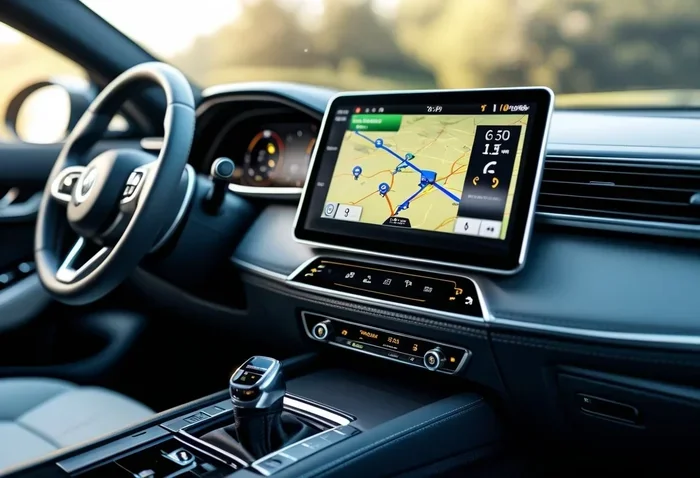
Yes, you can update your car navigation system yourself and save a lot of money. Most modern vehicles let you download map updates via USB, SD card, or even wirelessly through your car’s infotainment system. With a few simple steps, you can keep your GPS navigation accurate and avoid costly dealer visits.
So, can I update my car navigation system? The short answer is yes. And the better news is that you can do it without spending a fortune. Many car owners don’t realize that updating their car navigation system is something they can handle at home. You don’t need to visit the dealer. You don’t need to pay for expensive service appointments. All you need is a little patience and the right guidance.
Your car’s GPS navigation system is only as good as its map data. Roads change. New highways open. Businesses close and new ones open. If your maps are outdated, you could end up lost, frustrated, and wasting fuel on bad routes. Updating your system regularly keeps everything running smoothly. It also ensures you get the most accurate traffic updates and the best route suggestions every time you drive.
In this guide, we will walk you through everything you need to know about updating your car navigation system. We will cover the different types of systems, free and paid update options, step-by-step DIY instructions, and tips to avoid common mistakes. By the end, you will feel confident enough to handle the update on your own and keep your wallet happy.
Key Takeaways
- You can update your car navigation system at home: Most systems support USB or SD card updates that are easy to do yourself.
- Free updates are available: Many manufacturers offer free map updates for a limited time or through their websites.
- DIY saves significant money: Dealer updates can cost anywhere from $50 to $200, while doing it yourself costs nothing.
- Check your system type first: Different car brands use different navigation platforms, so knowing yours is key.
- Regular updates improve accuracy: Updated maps give you better routes, new points of interest, and improved traffic data.
- Back up your system before updating: This prevents data loss if something goes wrong during the process.
- Know when to seek professional help: Some older or complex systems may still need a dealer or specialist.
📑 Table of Contents
- Why Updating Your Car Navigation System Matters
- How to Update Your Car Navigation System
- Free vs Paid Updates: What You Need to Know
- DIY Update vs Dealer Visit: Which Is Right for You?
- Common Problems When Updating Your Navigation System
- How Often Should You Update Your Navigation System?
- Can I Update My Car Navigation System on Older Vehicles?
- Expert Insights on Saving Money with Navigation Updates
- Conclusion
Why Updating Your Car Navigation System Matters
Think of your car’s navigation system like a smartphone. If you never update the apps or maps, things start to break down. The same goes for your built-in GPS. Outdated maps can lead to wrong turns, missed exits, and unnecessary detours. Here is why keeping your system current is so important.
Accuracy of Routes and Destinations
When your navigation map data is current, you get the most accurate routes possible. New roads, changed speed limits, and updated turn restrictions are all reflected in the latest maps. This means fewer surprises and a smoother drive every time. You also get better suggestions for points of interest like gas stations, restaurants, and hotels along your route.
Improved Traffic and Road Condition Updates
Modern navigation systems rely on real-time traffic data to help you avoid congestion. But this data only works well when your system is up to date. An outdated system may not connect properly to live traffic services or may not recognize recent road closures. Updating your software ensures you get the latest traffic updates and road condition alerts.
Better Performance and Fewer Glitches
Software updates do more than just refresh your maps. They also fix bugs, improve system speed, and patch security issues. A slow or glitchy navigation system can be incredibly frustrating while driving. A simple firmware update can make your system feel like new again. It can also fix problems like freezing screens or unresponsive touch controls.
How to Update Your Car Navigation System
The process for updating your car navigation system depends on your vehicle’s make, model, and year. But don’t worry. Most systems follow a similar pattern. Let us break down the main methods you can use.
Method 1: USB or SD Card Update
This is the most common way to update car navigation system software at home. Here is how it works:
- Visit your car manufacturer’s website and find the support or downloads section.
- Enter your vehicle’s year, model, and trim level.
- Select the navigation map update or software update you need.
- Download the update file to your computer.
- Transfer the file to a USB drive or SD card (check your manual for the correct format).
- Plug the USB drive or SD card into your car’s infotainment port.
- Follow the on-screen prompts to install the update.
This method works for most brands including Ford, Toyota, Honda, Chevrolet, and Nissan. Always make sure your car is parked safely and the engine is off during the update. Never remove the USB drive while the system is installing.
Method 2: Online or Wireless Update
Some newer vehicles come with wireless navigation updates built right in. These systems connect to Wi-Fi or a cellular network to download updates automatically. Brands like Tesla, BMW, and Mercedes-Benz often offer this feature. If your car supports it, you will see a notification on your screen when an update is available. You simply tap to download and install. It is as easy as updating your phone.
Method 3: Dealer or Professional Update
If you are not comfortable doing it yourself, you can always visit your dealer. They will have the latest navigation software and can install it for you. This is a good option for older vehicles or complex systems. However, it usually comes with a cost. Dealer updates can range from $50 to $200 depending on your vehicle and the type of update needed.
Quick Tips for a Smooth Update
- Always check your owner’s manual before starting. It will tell you exactly what your system supports.
- Make sure your car battery is fully charged or keep the engine running during the update.
- Do not turn off the ignition or disconnect the USB drive while the update is in progress.
- Download updates only from your manufacturer’s official website.
- Back up your saved locations and favorites before installing any update.
- Plan your update when you are not in a rush. Some updates can take 30 minutes or more.
Free vs Paid Updates: What You Need to Know
One of the biggest questions people ask is whether updating a car navigation system costs money. The answer depends on your car brand, your model year, and the type of update you need. Let us look at what is typically free and what usually costs extra.
| Update Type | Typically Free? | Notes |
|---|---|---|
| Map Data Updates | Often free for 3-5 years | After the free period, cost varies by brand |
| Firmware/Software Updates | Usually free | Fixes bugs and improves performance |
| Traffic Data Subscriptions | Sometimes free, sometimes paid | Some brands include it for a limited time |
| Full System Reset | Free if done yourself | Dealer may charge $50-$100 |
| Hardware Replacement | Not free | Needed if your unit is physically damaged |
Many manufacturers offer free map updates for the first three to five years after you purchase the vehicle. After that, you may need to pay for continued updates. Some brands like Mazda and Subaru still offer free lifetime map updates for older models. Always check your specific brand’s policy before assuming you will need to pay.
How to Find Free Updates
Start by visiting your car manufacturer’s official website. Look for a support or owner’s portal section. Enter your vehicle identification number or model details. You should see a list of available updates. If a free navigation map update is available, you can download it right away. You can also call your local dealer and ask. Sometimes they have free updates available that are not prominently listed online.
DIY Update vs Dealer Visit: Which Is Right for You?
Deciding between a DIY navigation update and a dealer visit comes down to your comfort level and your system type. Both options have clear advantages. Let us compare them so you can make the best choice.
When to Do It Yourself
DIY updates are great if your vehicle supports USB or SD card updates. They are also ideal if you are comfortable following step-by-step instructions. The biggest advantage is cost. A DIY update costs you nothing but a few minutes of your time. You also have the flexibility to update whenever you want, without scheduling an appointment. If you drive a popular brand like Ford, Toyota, or Honda, there is a good chance you can handle the update at home.
When to Visit the Dealer
There are times when a dealer visit makes more sense. If your vehicle has a complex or older navigation system, the update process may not be straightforward. Some systems require a proprietary cable or specialized software that you cannot access at home. Also, if you are not comfortable working with technology, letting a professional handle it is perfectly fine. The dealer will also check for any other software issues while your car is there.
Cost Comparison
A dealer update typically costs between $50 and $200. A DIY update costs $0. That is a big difference. Even if you spend an hour doing it yourself, you are still saving money. And with the instructions in this guide, the process is easier than most people think.
Common Problems When Updating Your Navigation System
Even when you follow the steps carefully, things can sometimes go wrong. Knowing what to expect helps you stay calm and troubleshoot effectively.
Update Fails or Freezes Midway
This is the most common issue. It usually happens when the USB drive is not formatted correctly or when the car battery dies during the process. If this happens, do not panic. Try inserting the USB drive again and restarting the update. If the system is unresponsive, you may need to perform a navigation system reset by holding the power button for 10 to 15 seconds.
Update File Not Recognized
If your car does not recognize the update file, check the file format. Most systems require files in a specific format like .img, .sd, or .zip. Also make sure your USB drive is formatted to FAT32, which is the most compatible format. Avoid using flash drives larger than 32GB, as some older systems cannot read them.
Maps Look Wrong After Update
Sometimes the maps may display incorrectly after an update. This can happen if you installed the wrong region’s map data. Make sure you downloaded the map for your specific country or region. If the problem persists, try removing and reinstalling the update file.
System Is Slow After Update
A sluggish system after an update can be annoying. This is usually temporary and fixes itself after a few reboots. If the problem continues, try performing a factory reset on your navigation system. Check your owner’s manual for the reset procedure specific to your vehicle.
Quick Tips to Avoid Problems
- Always use a reliable USB drive with no other files on it.
- Download the update file on a trusted computer with a stable internet connection.
- Never interrupt the installation process once it has started.
- Keep your vehicle plugged in or ensure the battery is fully charged.
- Read the update instructions from your manufacturer carefully before starting.
How Often Should You Update Your Navigation System?
The frequency of your GPS map updates depends on how often you drive and where you go. As a general rule, you should update your navigation system at least once a year. If you travel frequently or drive in unfamiliar areas, consider updating every six months. This keeps your navigation data fresh and reliable.
Pay attention to your system’s notifications. Many modern units will alert you when a new update is available. Do not ignore these alerts. The longer you wait, the more outdated your maps become. Also, keep an eye on major road changes in your area. If a new highway has opened or a road has been rerouted, it is time to check for an update.
Signs Your Navigation System Needs an Update
- Your routes keep sending you down roads that are under construction or no longer exist.
- You cannot find new businesses or landmarks that you know are nearby.
- The system prompts you to update when you turn it on.
- Your traffic data seems inaccurate or outdated.
- The interface is slow, glitchy, or unresponsive.
- You notice map errors like misaligned roads or missing street names.
If you notice any of these signs, do not wait. Updating your system is quick, easy, and free in most cases. It is one of the simplest ways to improve your daily driving experience.
Can I Update My Car Navigation System on Older Vehicles?
You might be wondering if updating an older car navigation system is even possible. The answer is yes, in most cases. Even older vehicles from the early 2010s or late 2000s often support map updates. The process might be a bit different, but it is still very doable.
For older systems, you will likely need to use an SD card or a specific USB format. Visit your manufacturer’s website and look for the support page for your model. Search for your exact year and trim level. If updates are available, you can download them and follow the same steps we covered earlier. Some older systems may require you to visit a dealer for the first update, but subsequent updates can often be done at home.
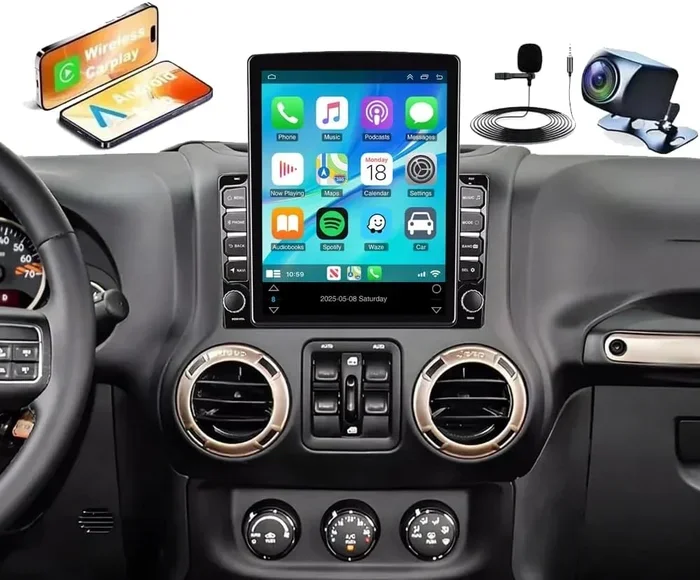
If your vehicle has a very old navigation unit that no longer receives updates, you might consider an aftermarket GPS upgrade. Modern aftermarket units are affordable and offer features like Bluetooth, smartphone integration, and real-time traffic updates. They can breathe new life into an older vehicle and are a great budget-friendly option.
Expert Insights on Saving Money with Navigation Updates
Saving money on car navigation updates is easier than you think. Here are some expert-backed tips to keep your costs low and your system running smoothly.
First, always check for updates before visiting a dealer. Many people assume the dealer is the only option, but most manufacturers make updates freely available online. Second, sign up for email alerts from your car brand. They often announce free update periods or promotional offers. Third, consider joining online forums for your specific car model. Other owners often share update files and step-by-step guides that can save you time and money.
Finally, remember that regular maintenance of your navigation system prevents costly problems down the road. A well-maintained system gives you better directions, saves fuel, and reduces driving stress. It is a small effort that pays off big time.
Conclusion
The answer to “Can I update my car navigation system?” is a resounding yes. You can update your car navigation system at home, save money, and keep your GPS accurate and reliable. Whether you use a USB drive, an SD card, or a wireless connection, the process is straightforward and well within reach for most car owners.
By following the steps in this guide, you can avoid dealer fees, stay on top of road changes, and enjoy a smoother driving experience every time you hit the road. Updating your navigation system is one of the simplest and most impactful things you can do for your vehicle. So go ahead, give it a try, and enjoy the confidence of knowing your routes are always up to date.
Take a few minutes today to check if an update is available for your vehicle. Your future self, navigating unfamiliar roads with ease, will thank you for it.
Frequently Asked Questions
Can I update my car navigation system for free?
Yes, in most cases you can update your car navigation system for free. Many manufacturers offer free map updates for a set period after purchase. You can also download firmware updates at no cost from the manufacturer’s website. Always check your specific brand’s update policy to confirm what is available for free.
How do I know if my car navigation system needs an update?
Your system will often notify you when an update is available. You may also notice outdated routes, missing roads, or incorrect traffic data. If your maps are more than a year old, it is a good idea to check for an update. Visit your manufacturer’s website and enter your vehicle details to see if a new update exists.
What do I need to update my car navigation system at home?
You typically need a USB drive or SD card formatted to FAT32, a computer with internet access, and the update file downloaded from your manufacturer’s website. Some newer vehicles support wireless updates through Wi-Fi, so no external device is needed. Always check your owner’s manual for your specific system’s requirements.
Can I use any USB drive to update my navigation system?
Not all USB drives work. Most navigation systems require a FAT32-formatted drive. Drives larger than 32GB may not be compatible with older systems. Use a smaller, reliable USB drive with no other files on it. This helps ensure the update file is recognized and installs correctly.
What happens if I interrupt a navigation system update?
Interrupting an update can cause problems. Your navigation system may become unresponsive or the maps may install incorrectly. In some cases, you may need to visit a dealer to fix the issue. Always let the update complete fully and never remove the USB drive while the system is installing.
Are aftermarket navigation updates available for older cars?
Yes, if your older car’s navigation system no longer receives updates from the manufacturer, you can consider an aftermarket GPS unit. These are affordable and come with modern features like Bluetooth, real-time traffic, and smartphone integration. They are a great way to upgrade an older vehicle without replacing the entire system.