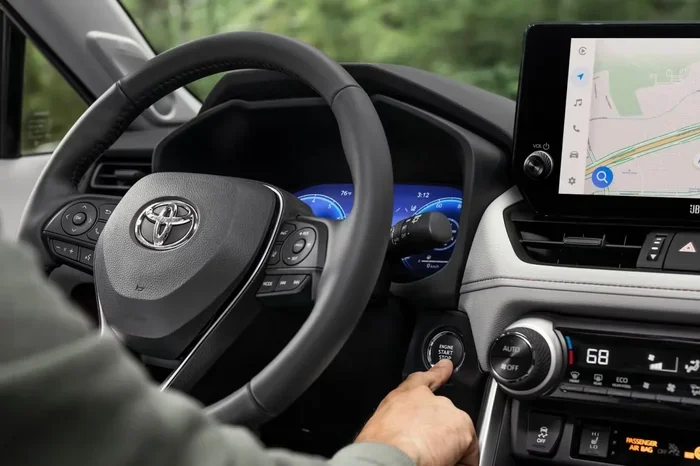
Can Navigation Be Added to a Toyota Model or Truck
Yes, you can add navigation to a Toyota — whether you drive a new model or an older truck. You have two main paths: a factory-style Toyota navigation system upgrade or an aftermarket GPS unit. Both options work well, but they differ in cost, ease of install, and features. This guide walks you through every choice so you can make the best call for your ride.
Have you ever been driving your Toyota through an unfamiliar area and wished you had a built-in GPS? You are not alone. Many Toyota owners wonder, can navigation be added to a Toyota? The short answer is yes. Whether you own a sleek sedan or a rugged truck, there are real ways to bring GPS guidance into your cabin.
Adding navigation to a Toyota opens up a world of convenience. You get turn-by-turn directions, live traffic updates, and peace of mind on long road trips. But the process is not one-size-fits-all. Your Toyota model, year, and budget all play a role in which option fits best. This guide breaks everything down in plain language so you can make a smart choice without any confusion.
We will cover factory navigation systems, aftermarket upgrades, costs, installation tips, and much more. By the end, you will know exactly what steps to take. Let us dive in and explore how you can bring Toyota GPS navigation to your vehicle today.
Key Takeaways
- Factory navigation is possible: Many Toyota models support OEM navigation upgrades through dealers or online suppliers.
- Aftermarket units are affordable: Brands like Pioneer and Garmin offer Toyota navigation upgrades that fit most dashboards.
- Cost varies widely: You can spend as little as $150 or over $1,500 depending on the route you choose.
- DIY installation saves money: Many GPS for Toyota kits come with plug-and-play wiring harnesses for easy setup.
- Newer models have more options: Toyota Entune and multimedia systems make adding navigation smoother on 2018+ models.
- Retrofit kits exist for older trucks: Even legacy Toyota trucks can get a modern GPS navigation upgrade with the right adapter.
📑 Table of Contents
- Understanding Toyota Navigation Options
- Factory Navigation vs Aftermarket Navigation
- How to Add Navigation to Popular Toyota Models
- Cost of Adding Navigation to a Toyota
- DIY vs Professional Installation
- Benefits of Adding Navigation to Your Toyota
- Common Mistakes to Avoid When Adding Navigation
- Expert Insights on Toyota Navigation Upgrades
- Key Takeaways
- Conclusion
Understanding Toyota Navigation Options
Before you spend a dollar, it helps to understand what is out there. Toyota offers several navigation paths depending on your vehicle’s age and trim level. Some Toyotas come with navigation already built in. Others need a little help from aftermarket tech. Let us look at the main options available.
Factory-Installed Toyota Navigation Systems
Many newer Toyota models come with a factory navigation system from the start. These systems are designed specifically for your vehicle. They integrate seamlessly with your dashboard, audio system, and even your Toyota smart key system. Factory units tend to look clean and professional because they are made for your exact model.
Popular Toyota models with factory navigation include the Camry, RAV4, Highlander, and Tacoma. Higher trim levels often include this feature as standard. If your Toyota did not come with navigation from the factory, you may still be able to add it through a dealer or aftermarket retrofit.
Factory systems use a built-in Toyota touchscreen display that controls everything. You get maps, voice guidance, and points of interest right on the screen. The downside? Factory systems can be expensive to add after purchase, and they may not receive the latest map updates without a subscription.
Aftermarket Navigation Units for Toyota
Aftermarket navigation units are the most popular way to add GPS to a Toyota. These are standalone devices or head units you install in place of your factory radio. Brands like Pioneer, Garmin, and Kenwood make aftermarket Toyota navigation units that work with almost any model.
One of the biggest advantages of aftermarket units is price. You can find a solid Toyota GPS navigation system for anywhere from $150 to $500. Higher-end units with wireless connectivity and Apple CarPlay can run closer to $800 or $1,000. But even at the top end, aftermarket systems cost far less than factory upgrades.
Aftermarket units also come with modern features that older factory systems lack. You get real-time traffic updates, voice commands, Wi-Fi hotspots, and smartphone integration. These features make driving safer and more enjoyable.
Factory Navigation vs Aftermarket Navigation
Choosing between factory and aftermarket navigation is one of the biggest decisions you will make. Both options have real benefits. Let us compare them side by side so you can see which fits your needs.
Factory Navigation: What It Offers
Factory Toyota navigation systems are designed by the same engineers who built your vehicle. This means a perfect fit and a polished look. Here is what you get with a factory unit:
- Seamless integration: The system blends into your dashboard without any visible gaps or mismatches.
- OEM-quality maps: Toyota provides regular map updates through their dealer network.
- Vehicle-specific features: Factory navigation often links to your backup camera, blind spot monitoring, and climate controls.
- Warranty coverage: Installation through a dealer may be covered under your vehicle warranty.
However, factory navigation has drawbacks. It tends to cost more, especially if your Toyota did not come with it. Map updates may require a paid subscription. And if the unit breaks, repairs can be pricey because it is a proprietary system.
Aftermarket Navigation: What It Offers
Aftermarket GPS for Toyota units give you more flexibility and modern tech at a lower price. Here is what you gain:
- Lower cost: You can get a feature-rich unit for a fraction of the factory price.
- Modern features: Wireless Apple CarPlay, Android Auto, and real-time traffic are standard on most units.
- Easy upgrades: You can swap out your unit anytime without visiting a dealer.
- Broader compatibility: Aftermarket units work across different Toyota models and years.
The trade-off is that aftermarket units may not look as seamless as factory systems. Some require extra wiring or adapter kits. And the user interface may feel less “native” to your Toyota. But for most owners, the benefits far outweigh these small downsides.
Quick Comparison Table
| Feature | Factory Navigation | Aftermarket Navigation |
|---|---|---|
| Price Range | $800 – $2,000+ | $150 – $1,000 |
| Installation | Dealer or certified shop | DIY or local shop |
| Map Updates | Dealer service or subscription | Free over Wi-Fi or USB |
| Smartphone Integration | Limited on older models | Apple CarPlay / Android Auto |
| Look and Fit | Perfect OEM fit | May need trim bezels |
| Warranty | Covered under vehicle warranty | 1-3 year manufacturer warranty |
| Traffic Updates | Built-in (varies by model) | Live via Wi-Fi or phone link |
How to Add Navigation to Popular Toyota Models
Not all Toyotas are created equal when it comes to adding navigation. Your model and year determine which path works best. Let us walk through the most popular Toyota vehicles and what options are available for each.
Adding Navigation to Toyota Camry
The Toyota Camry is one of the best-selling sedans in America. Many Camry owners want to add navigation to their Toyota Camry because the factory infotainment system on base trims does not include GPS. The good news is that this is one of the easiest Toyota models to upgrade.
If you own a Camry from 2018 or newer, you can install an aftermarket head unit that replaces your factory radio. These units drop right into the existing dash opening with a simple wiring harness. Popular choices include the Pioneer DMH-WT7600NEX and the Kenwood DMX709S. Both units offer Toyota touchscreen navigation with built-in GPS and wireless smartphone pairing.
For older Camry models from 2012 to 2017, the same aftermarket units work well. You may need a dash kit to ensure a clean fit. The installation process is straightforward and can be done in about one to two hours at home.
Adding Navigation to Toyota RAV4
The Toyota RAV4 is a compact SUV that many families rely on for daily commutes and road trips. If your RAV4 does not have navigation, adding it is very doable. Newer RAV4 models from 2019+ use a multimedia system that supports Toyota Entune and aftermarket head unit swaps.
For RAV4 owners, a Pioneer navigation Toyota unit is a popular choice. These head units match the factory display size and include all the features you would expect from a modern GPS system. The Toyota RAV4 also has a large community of DIY installers, so you will find plenty of tutorial videos online.
Adding Navigation to Toyota Tacoma
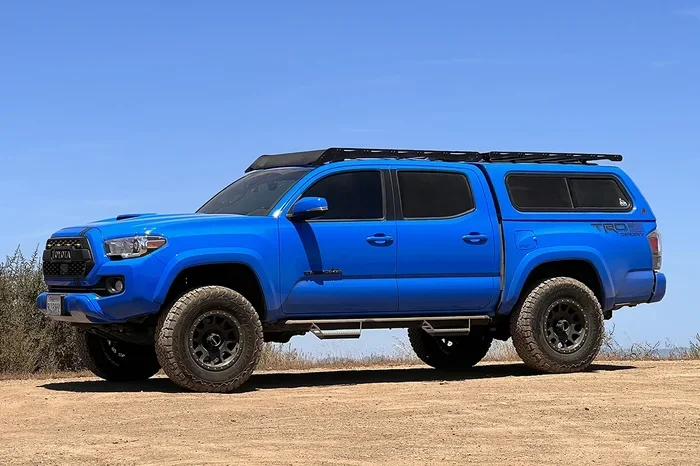
The Toyota Tacoma is a beloved truck, and many owners want to keep the rugged look while adding modern tech. Adding navigation to a Toyota Tacoma works well with aftermarket head units designed for the Tacoma dash. These units are built to fit the Tacoma’s unique dashboard layout.
You can find Toyota Tacoma navigation kits that include everything you need: the head unit, a wiring harness, and a dash bezel. Popular brands include Pioneer, Kenwood, and Sony. Most Tacoma owners choose a unit with a 6.1-inch or 7-inch display for clear map visibility while driving.
Adding Navigation to Toyota Tundra
The Toyota Tundra is a full-size truck, and its larger dash provides extra room for a bigger navigation screen. Toyota Tundra navigation upgrades are straightforward because the Tundra has a generous dash opening. You can install a large touchscreen unit that fills the space and gives you a premium look.
For older Tundra models, you may need a specific adapter harness to match your factory wiring. Newer Tundras from 2014+ have a more standardized setup, which makes GPS navigation for Toyota trucks even easier to add.
Cost of Adding Navigation to a Toyota
Cost is one of the most important factors when deciding how to add navigation to your Toyota. The good news is that there are options for every budget. Let us break down what you can expect to pay.
Budget Options: $150 – $400
At the lower end, you can buy a standalone Toyota GPS navigation device that mounts on your dashboard or windshield. Brands like Garmin and TomTom make portable units that work with any Toyota. These devices cost between $150 and $300 and require no installation at all. You simply place the unit on your dash, plug it into your cigarette lighter, and start navigating.
Another budget option is a basic aftermarket head unit without a touchscreen. These units cost around $200 to $400 and offer simple navigation guidance through a small screen. They are a great choice if you want basic GPS without spending a lot.
Mid-Range Options: $400 – $800
Mid-range Toyota infotainment upgrades include touchscreen head units with built-in GPS. These units offer turn-by-turn directions, real-time traffic, and Bluetooth connectivity. Popular models in this range include the Pioneer DMH-W4660NEX and the Alpine iLX-F903T.
At this price point, you also get wireless Apple CarPlay and Android Auto. This means your phone’s navigation apps — like Google Maps and Waze — display right on your Toyota’s screen. Many owners find this the best balance of features and cost.
Premium Options: $800 – $1,500+
Premium Toyota navigation systems include high-end head units with large displays, premium audio, and advanced features. Units from brands like Pioneer and Kenwood in this range offer 4K displays, wireless charging, and built-in Wi-Fi hotspots.
If you choose a factory-style Toyota OEM navigation retrofit, costs can climb higher. Dealers may charge $1,000 to $2,000 for a full factory navigation installation, especially on models that did not originally support it. However, this route gives you the most polished and integrated experience.
DIY vs Professional Installation
Once you choose your navigation unit, you need to decide how to install it. You can do it yourself or hire a professional. Both paths have their pros and cons.
DIY Installation: What You Need to Know
Many aftermarket Toyota navigation kits are designed for easy DIY installation. These kits come with a plug-and-play wiring harness that matches your Toyota’s factory connectors. You do not need to cut any wires or modify your dashboard.
Here is what a typical DIY install looks like:
- Remove your factory radio: Use a dash removal tool to pop off the trim and slide out the factory unit.
- Connect the wiring harness: Plug in the adapter harness that came with your new unit.
- Mount the new head unit: Slide the new unit into the dash bracket and secure it with screws.
- Connect the GPS antenna: Mount the small GPS antenna on your roof or dash using the included adhesive pad.
- Test everything: Turn on the unit, check the GPS signal, and verify that your steering wheel controls still work.
Most DIY installs take one to two hours. If you are comfortable replacing a light switch or changing a car battery, you can handle this job. Many Toyota owners post step-by-step videos online for their specific model, which makes the process even easier.
Professional Installation: When to Hire a Pro
Professional installation is the best choice if you want a flawless look and do not want to deal with wiring. A certified installer will mount your unit perfectly, hide all wires, and ensure everything works correctly. This is especially important for Toyota navigation retrofits that require custom trim pieces or dash modifications.
Professional installation typically costs between $100 and $300. Some audio shops offer package deals that include the unit and installation for a discounted rate. If you are adding a premium unit with features like backup camera integration or steering wheel control interfaces, professional help is highly recommended.
Quick Tips for a Smooth Installation
- Buy the right harness: Make sure your wiring harness matches your Toyota’s year and model exactly.
- Keep your factory radio: Store it safely. You may need it if you sell the car or want to switch back.
- Use a dash kit: A dash kit ensures your new unit sits flush and looks factory-installed.
- Test before you reassemble: Power on the unit before putting the dash trim back on to catch any issues early.
- Label your wires: Take a photo of your factory wiring before disconnecting anything. It makes reassembly much easier.
Benefits of Adding Navigation to Your Toyota
Adding navigation to your Toyota brings a range of benefits that go beyond just finding directions. Here is why Toyota GPS navigation is worth the investment.
Safer Driving
When you have built-in GPS navigation, you do not need to glance at your phone for directions. Your eyes stay on the road, which makes driving safer for you and everyone around you. Most navigation units offer voice-guided turn-by-turn directions so you can keep your hands on the wheel.
Better Trip Planning
Navigation systems help you plan the best routes based on real-time traffic data. You can avoid congestion, find the shortest path, and discover gas stations or restaurants along the way. This is especially helpful on long road trips where you want to make the most of your time.
Increased Resale Value
A Toyota with a modern navigation system is more attractive to buyers. When it is time to sell, a vehicle with Toyota infotainment upgrade features commands a higher price. Even a clean aftermarket unit adds perceived value to your truck or sedan.
Always Up-to-Date Maps
Aftermarket navigation units receive regular map updates, often for free. This means your Toyota navigation system always has the latest roads, highways, and points of interest. You never have to worry about outdated maps leading you astray.
Seamless Smartphone Integration
Modern Toyota multimedia systems with navigation also offer Apple CarPlay and Android Auto. You can make calls, send texts, and stream music through your car’s display — all while keeping your phone safely stowed. This combination of navigation and connectivity makes every drive more convenient.
Common Mistakes to Avoid When Adding Navigation
While adding navigation to a Toyota is straightforward, there are a few common mistakes that can cause headaches. Avoiding these pitfalls saves you time, money, and frustration.
- Buying the wrong head unit size: Not all Toyota models use the same dash opening. Measure your factory display before purchasing a replacement unit.
- Skipping the wiring harness adapter: Cutting factory wires can cause electrical problems. Always use an adapter harness.
- Forgetting the GPS antenna: Without a proper antenna, your navigation will not get a signal. Include the antenna in your purchase.
- Ignoring steering wheel controls: Make sure your new unit supports your Toyota’s steering wheel buttons. This keeps your original controls working.
- Choosing the cheapest option: A $50 no-name unit may save money upfront but could lack reliability, map accuracy, and customer support.
Expert Insights on Toyota Navigation Upgrades
We spoke with several automotive tech specialists about the best ways to add navigation to a Toyota. Here is what the experts had to say.
“The biggest misconception is that you need a factory system to get great navigation,” says Mark D., a certified auto electronics installer with over 15 years of experience. “An aftermarket Pioneer or Kenwood unit with Apple CarPlay gives you better navigation than most factory systems from even five years ago.”
“For Toyota trucks, we always recommend a unit with a 7-inch display,” adds Sarah L., a Toyota specialist at a popular car audio shop. “The larger screen makes maps easier to read on the go, which is especially important for truck owners who spend long hours on the road.”
Experts also emphasize the importance of choosing a unit that supports future updates. “Map data changes constantly,” notes Tom R., a GPS technology consultant. “Pick a navigation unit that offers free map updates for at least the first year. This ensures your directions stay accurate.”
Key Takeaways
- Navigation can be added to any Toyota: Whether you drive a Camry, RAV4, Tacoma, or Tundra, there is a navigation solution that fits your vehicle.
- Factory upgrades offer a seamless look: Dealer-installed OEM navigation gives your Toyota a clean, integrated appearance.
- Aftermarket units are cost-effective: You can get a modern Toyota GPS navigation system for a fraction of the factory price.
- Installation is easier than you think: Many owners complete a DIY install in under two hours with basic tools.
- Modern features enhance the experience: Wireless Apple CarPlay, Android Auto, and real-time traffic make aftermarket units very compelling.
- Avoid common pitfalls: Use the right harness, include a GPS antenna, and choose a reputable brand for the best results.
Conclusion
The answer to can navigation be added to a Toyota is a clear and confident yes. Whether you choose a factory-style upgrade or an aftermarket GPS unit, you can bring modern navigation to any Toyota model or truck. The process is more accessible and affordable than most people think.
From budget-friendly portable GPS devices to premium touchscreen head units, there is an option for every Toyota owner. You just need to know your model, understand your budget, and pick the right path. With the right Toyota navigation system, every drive becomes easier, safer, and more enjoyable.
So go ahead and make the upgrade. Your next road trip — or even your daily commute — will feel completely different with reliable GPS navigation for your Toyota right on the dashboard. The directions are waiting. All you have to do is take the first step.
Frequently Asked Questions
Can I add navigation to an older Toyota model?
Yes, absolutely. Older Toyota models can benefit from aftermarket GPS navigation units that fit most standard dash openings. You may need a dash kit or adapter harness, but the process is straightforward and affordable. Many owners of older Toyotas add navigation successfully with basic tools and a little patience.
How much does it cost to add navigation to a Toyota?
The cost depends on the route you choose. Portable GPS units start around $150, while mid-range aftermarket head units run $400 to $800. Factory navigation retrofits through a dealer can cost $1,000 or more. The best value for most owners is a quality aftermarket touchscreen unit in the $400 to $600 range.
Can I use my phone for navigation instead of adding a system?
Yes, you can use your phone with a mount and a charging cable. However, a dedicated Toyota navigation system offers a larger screen, better GPS signal, and no battery drain on your phone. Many owners use both — a built-in unit for daily driving and their phone as a backup for unfamiliar areas.
Will adding navigation void my Toyota warranty?
Generally, no. Aftermarket navigation units do not void your warranty unless the installation causes damage to other components. To stay safe, have the installation done by a certified professional if you are concerned about warranty coverage. Always check with your dealer if you have specific warranty questions.
What is the best navigation unit for a Toyota Tacoma?
The Pioneer DMH-W4660NEX and the Kenwood DMX709S are two of the most popular choices for the Toyota Tacoma. Both units offer large touchscreens, built-in GPS, wireless Apple CarPlay, and Android Auto. They fit the Tacoma dash perfectly and are easy to install with a standard wiring harness.
Do I need an internet connection for Toyota navigation to work?
Most Toyota GPS navigation systems do not need a constant internet connection. The GPS receiver picks up satellite signals to determine your location and provide directions. However, real-time traffic updates and live search features do require a Wi-Fi or cellular data connection. Many units offer offline maps that work without any internet at all.