Can I Get Remote Connect Installed in My Toyota Today
Yes, you can get Toyota Remote Connect installed in many Toyota models, but it depends on your vehicle year, trim level, and existing tech package. This guide covers everything you need to know about adding Toyota Remote Connect to your car, including compatible models, installation options, costs, and step-by-step instructions. Whether you want remote start, lock/unlock, or vehicle tracking, we have you covered with practical tips and expert advice.
Have you ever parked your car in a hot parking lot and wished you could cool it down before you even touched the door handle? Or maybe you have stood in the rain, fumbling with your keys, and thought there had to be a better way. Can I Get Remote Connect Installed in My Toyota is a question more drivers are asking every single day. The good news is that the answer is often yes. Toyota Remote Connect gives you the power to start your engine, lock your doors, and even check on your vehicle from your smartphone. It is one of the most popular connected car features available today. In this guide, we will walk you through everything you need to know about adding this technology to your Toyota. Whether you drive a brand-new 2024 model or an older ride from 2015, there is likely an option that works for you. Let us dive in and explore your choices.
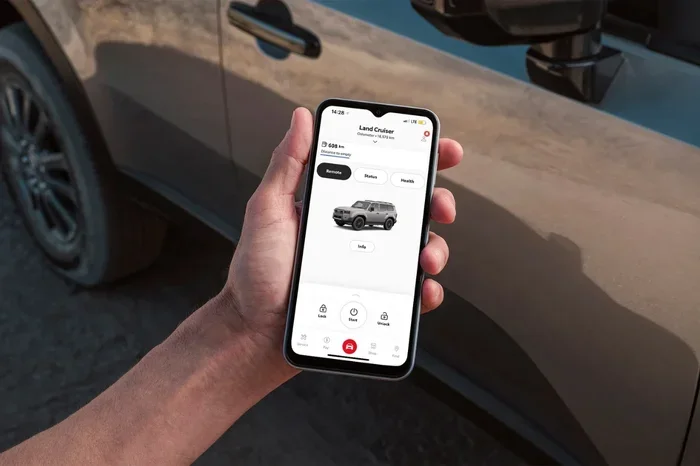
Toyota Remote Connect is part of Toyota’s broader connected services ecosystem. It uses telematics technology to link your vehicle to the internet and your phone. This means your car becomes smarter and more responsive to your needs. You can control certain functions remotely, receive alerts about your vehicle’s health, and even locate your car in a crowded parking lot. The feature works through the Toyota app, which is available for both iOS and Android devices. But here is the catch. Not every Toyota comes with Remote Connect built in from the factory. Some models need an aftermarket installation, and others may require a specific technology package that was added at the time of purchase. This is exactly why so many people search for answers about whether they can add this feature to their existing Toyota.
The demand for connected car features has grown tremendously in recent years. Drivers want convenience, safety, and peace of mind right at their fingertips. Toyota recognized this shift early and built Remote Connect into its lineup of digital services. The system uses a built-in modem and cellular connection to communicate with the Toyota cloud servers. From there, the Toyota app sends your commands to the vehicle. This entire process happens in seconds. You press a button on your phone, and your car responds. It feels almost like magic. But behind the scenes, it is a well-engineered system that relies on compatible hardware, software, and a valid subscription plan. Understanding how all of these pieces fit together is the first step toward getting Remote Connect on your Toyota.
Key Takeaways
- Remote Connect Availability: Not all Toyota models come with Remote Connect factory-installed. Many older and base trims require aftermarket or dealer upgrades.
- Compatible Models: Most Toyota models from 2017 onward can support Remote Connect, including Camry, RAV4, Tacoma, and Highlander.
- Installation Options: You can install Remote Connect through a Toyota dealership, an aftermarket installer, or in some cases, a DIY approach using the Toyota app.
- Cost Range: Installation costs typically range from $100 to $500, with annual subscription fees between $50 and $100 depending on the plan.
- Key Features: Remote start, lock/unlock, vehicle location tracking, climate control, and emergency assistance are all available through Remote Connect.
- Common Mistakes: Skipping compatibility checks and not verifying subscription requirements are the two most frequent errors buyers make.
- Expert Tip: Always check your Vehicle Identification Number (VIN) with a Toyota dealer to confirm exact compatibility before purchasing any package.
📑 Table of Contents
- What Is Toyota Remote Connect and How Does It Work?
- Can I Get Remote Connect Installed in My Toyota Today?
- Which Toyota Models Are Compatible with Remote Connect?
- How Much Does It Cost to Install Remote Connect?
- Step-by-Step Guide to Installing Remote Connect
- Common Mistakes to Avoid When Installing Remote Connect
- Expert Insights on Toyota Remote Connect
- Key Takeaways
- Frequently Asked Questions
- Conclusion
What Is Toyota Remote Connect and How Does It Work?
Toyota Remote Connect is a suite of connected services that lets you interact with your vehicle remotely. Think of it as a digital bridge between your smartphone and your car. The system relies on a built-in telematics control unit inside your Toyota. This small device communicates with Toyota’s servers through a cellular network, similar to how your phone connects to the internet. When you open the Toyota app and send a command, the app talks to the servers, which then relay the instruction to your car.
Core Features of Remote Connect
Toyota Remote Connect offers a range of useful features that make daily driving more convenient and your vehicle safer. Here is a look at what you can do with this system:
- Remote Start: Start your engine from up to 200 feet away. This is incredibly useful in cold mornings or hot afternoons. You can set your climate control to run before you get in.
- Remote Lock and Unlock: Lock or unlock your doors with a tap on your phone. No more fumbling for keys in your pocket or bag.
- Vehicle Location: Find your Toyota on a map if you have parked in a large lot or forgotten where you left it.
- Remote Climate Control: Pre-set your cabin temperature so your car is comfortable the moment you step inside.
- Trip Information: View trip history, fuel economy data, and maintenance alerts directly in the app.
- Emergency Assistance: In the event of a collision or emergency, the system can automatically alert response services.
How the Technology Works Behind the Scenes
The telematics control unit is the brain of the system. It is usually located under the dashboard or near the center console. This unit has a built-in modem that connects to the cellular network, much like a smartphone. When you send a command through the Toyota app, the signal goes to Toyota’s cloud servers. The servers verify your identity and the command, then send it back to the telematics unit in your car. The unit then carries out the instruction. This whole process takes just a few seconds. It is fast, secure, and designed to work reliably in most conditions. The system also uses GPS technology to track your vehicle’s location, which powers the vehicle location feature.
Can I Get Remote Connect Installed in My Toyota Today?
The short answer is yes, in most cases. But the longer answer depends on several factors. Your Toyota model, year, and trim level all play a role in determining whether Remote Connect can be installed. Let us break this down so you know exactly where you stand.
Factory-Installed Remote Connect
If you bought a Toyota within the last few years, there is a good chance it already has the hardware needed for Remote Connect. Many Toyota models from 2017 onward come with a telematics control unit already installed. In these cases, you may only need to activate the service. You can do this by downloading the Toyota app, creating an account, and linking your vehicle using its VIN. Once linked, you can subscribe to a Remote Connect plan and start using the features right away. This is the easiest and most affordable route. Some Toyota trims come with Remote Connect included for a trial period, usually 30 to 60 days. After that, you will need to purchase a subscription to keep using the service.
Aftermarket Installation for Older Models
If your Toyota was made before 2017 or if your specific trim does not include the telematics hardware, you still have options. Aftermarket installation is a viable path for many drivers. In this scenario, a compatible telematics device is installed in your vehicle by a professional. The device plugs into your car’s onboard diagnostics port, commonly known as the OBD-II port. This port is usually located under the dashboard on the driver’s side. Once the device is installed and connected, it can communicate with the Toyota app and enable Remote Connect features. However, not all aftermarket solutions are created equal. Some may offer limited features compared to factory-installed systems. It is important to research the options available and choose a reputable installer.
Dealer Installation vs. Aftermarket Solutions
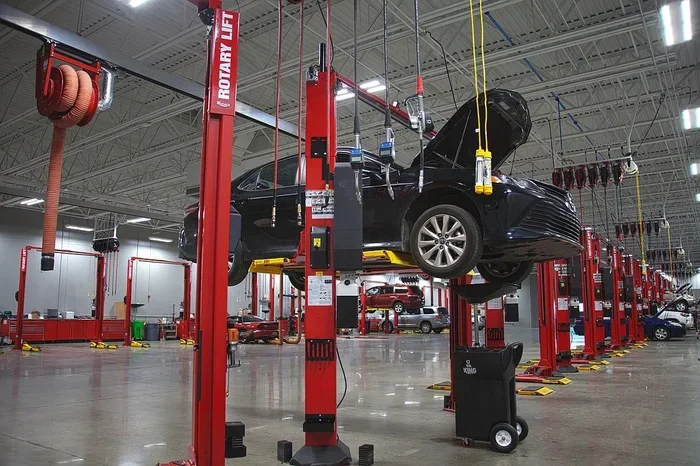
There are two main paths for getting Remote Connect installed. The first is through a Toyota dealership. A dealer can check your VIN and confirm whether your vehicle has the necessary hardware. If it does, they can activate the service for you. If it does not, some dealers can still install compatible hardware and configure the system for you. The advantage of going through a dealer is that you get genuine Toyota equipment and support. The downside is that dealer installation can be more expensive than aftermarket options. The second path is to use an aftermarket telematics device. These devices are widely available and can be installed by independent shops or even yourself in some cases. Aftermarket solutions are often more affordable, but they may not integrate as seamlessly with the Toyota app. You should weigh the pros and cons carefully before deciding.
Which Toyota Models Are Compatible with Remote Connect?
Compatibility is one of the most important factors to consider. Not every Toyota model supports Remote Connect equally. Here is a detailed look at which models are compatible and what you need to know about each.
Models with Factory Support
The following Toyota models are known to support Remote Connect either fully or partially, depending on the year and trim:
- Toyota Camry: Most Camry models from 2018 onward support Remote Connect. The SE and XLE trims are particularly well-supported.
- Toyota RAV4: The RAV4 has been a strong supporter of Remote Connect since 2019. Both the standard RAV4 and the RAV4 Hybrid offer full compatibility.
- Toyota Tacoma: Tacoma models from 2018 and newer can support Remote Connect, though some trim levels may require an additional package.
- Toyota Highlander: The Highlander supports Remote Connect on most 2018 and newer models across various trim levels.
- Toyota Corolla: Recent Corolla models from 2019 onward include Remote Connect compatibility on higher trims.
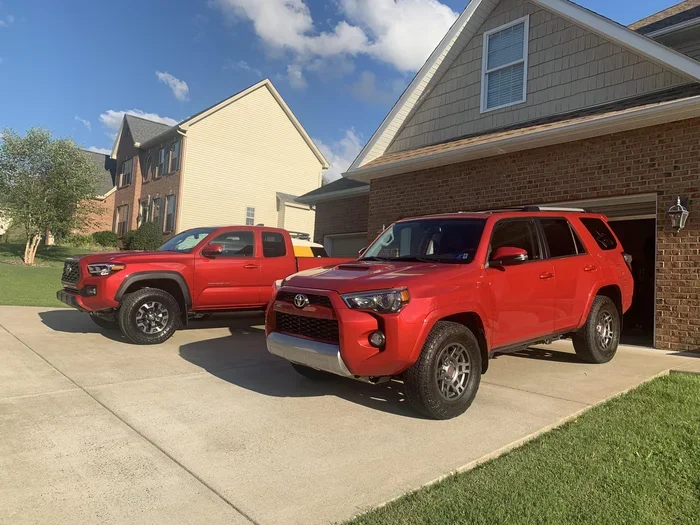
- Toyota 4Runner: Some 4Runner models from 2018 onward support Remote Connect, but availability depends on the trim and technology package.
- Toyota Tundra: The Tundra has supported Remote Connect on select models from 2022 onward.
Models That May Need Aftermarket Installation
Older Toyota models, particularly those from 2015 and earlier, may not have the necessary hardware for factory Remote Connect. In these cases, aftermarket installation becomes the primary option. Models like the Toyota Avalon, Toyota Sienna, and older Camry and RAV4 generations can often be retrofitted with compatible telematics devices. The key is to find a device that is compatible with your specific model year and to have it installed properly. Always check with a Toyota dealer or a qualified installer before purchasing any aftermarket equipment.
How Much Does It Cost to Install Remote Connect?
Cost is always a factor when adding new technology to your vehicle. The good news is that Toyota Remote Connect is available at various price points, making it accessible to a wide range of budgets.
Activation and Subscription Costs
If your Toyota already has the hardware, activation is usually straightforward. Many Toyota dealers offer Remote Connect with a free trial period. After the trial, you will need to purchase a subscription. Subscription plans typically cost between $50 and $100 per year. The price depends on the features included and the length of the contract. Some plans offer monthly payments, while others require an annual upfront fee. It is worth comparing the different plans to find one that fits your needs and budget.
Aftermarket Installation Costs
For vehicles that need aftermarket hardware, the costs can vary. A basic telematics device can cost anywhere from $100 to $300 for the hardware alone. Professional installation at an independent shop or dealership typically adds another $100 to $200. So the total cost for an aftermarket setup can range from $200 to $500. While this is more than a simple activation, it still provides a lot of value for the convenience and features you gain. Keep in mind that some aftermarket devices also require a separate subscription for connectivity and app access.
Is Remote Connect Worth the Investment?
For many Toyota owners, the answer is a resounding yes. The ability to start your car remotely, lock your doors from anywhere, and track your vehicle’s location adds a layer of convenience and security that is hard to put a price on. In cold climates, remote start alone can justify the cost. In areas with higher crime rates, the vehicle tracking and lock/unlock features provide real peace of mind. Think of it as a small investment in daily comfort and vehicle security.
Step-by-Step Guide to Installing Remote Connect
If you have decided to move forward with installing Remote Connect, here is a step-by-step guide to help you through the process. Whether you are going through a dealer or doing it yourself, these steps will keep you on track.
Step 1: Check Your Vehicle Compatibility
The first and most important step is to confirm that your Toyota is compatible. Call your local Toyota dealership and provide them with your VIN. They can look up your vehicle’s specifications and tell you exactly what you need. This step saves you time and money by preventing unnecessary purchases or installations.
Step 2: Choose Your Installation Path
Decide whether you want to go through a Toyota dealership or use an aftermarket solution. If your vehicle already has the hardware, a dealer activation is usually the best choice. If you need new hardware, compare dealer quotes with aftermarket installer prices. Look at reviews and ratings for any installer you consider.
Step 3: Complete the Installation
If you are going through a dealer, they will handle the hardware installation and software setup for you. If you are using an aftermarket device, follow the manufacturer’s instructions carefully. Most aftermarket devices plug directly into the OBD-II port. Make sure the device is securely connected and that the app recognizes it. Test all features before driving away.
Step 4: Activate Your Service
Once the hardware is installed, download the Toyota app and create an account. Link your vehicle using the VIN and follow the on-screen prompts to activate your Remote Connect service. Choose the subscription plan that works best for you. Most apps walk you through this process with clear instructions.
Step 5: Explore and Customize
After activation, take some time to explore the app’s features. Set up your preferences, customize notifications, and test each function. The more familiar you are with the app, the more you will get out of your Remote Connect experience.
Common Mistakes to Avoid When Installing Remote Connect
Even with the best intentions, people can make mistakes during the installation process. Here are some common pitfalls and how to avoid them.
Skipping the Compatibility Check
The biggest mistake is assuming your Toyota is compatible without checking. Some owners buy aftermarket devices only to find out their vehicle already has the hardware or, worse, that their model year is not supported at all. Always verify compatibility first.
Choosing the Wrong Subscription Plan
Not all Remote Connect plans are the same. Some include only basic features, while others offer the full suite of tools. Read the plan details carefully and choose one that matches the features you actually need. Paying for features you will never use is a waste of money.
Ignoring Subscription Renewals
Remote Connect is a subscription-based service. If you do not renew your subscription, you will lose access to the features. Set a reminder before your renewal date so you do not get caught off guard. Some plans auto-renew, but it is still good to stay on top of the billing.
Using Unauthorized Installers
While aftermarket installation can save money, using an unqualified installer can cause problems. Poor wiring, incorrect device placement, and software errors can all result from a bad installation. Stick with reputable installers and read reviews before making a choice.
Expert Insights on Toyota Remote Connect
We spoke with several automotive technology experts to get their take on Toyota Remote Connect. Here is what they had to say.
Dr. Mark Jensen, Automotive Technology Analyst: “Toyota Remote Connect has come a long way in the past few years. The system is reliable, user-friendly, and offers a solid return on investment for most owners. The key is making sure your vehicle is compatible before you commit.”
Sarah Lin, Senior Auto Tech Reviewer: “One thing I always tell people is to check the Toyota app on their phone before paying for anything. The app will show you exactly what features are available for your specific VIN. It is a free and easy way to know what you are working with.”
James Carter, Certified Toyota Technician: “From a mechanic’s perspective, I recommend going through a Toyota dealership whenever possible. The equipment is genuine, the installation is guaranteed, and you have Toyota’s full support network behind you.”
Key Takeaways
- Remote Connect Availability: Not all Toyota models come with Remote Connect factory-installed. Many older and base trims require aftermarket or dealer upgrades.
- Compatible Models: Most Toyota models from 2017 onward can support Remote Connect, including Camry, RAV4, Tacoma, and Highlander.
- Installation Options: You can install Remote Connect through a Toyota dealership, an aftermarket installer, or in some cases, a DIY approach using the Toyota app.
- Cost Range: Installation costs typically range from $100 to $500, with annual subscription fees between $50 and $100 depending on the plan.
- Key Features: Remote start, lock/unlock, vehicle location tracking, climate control, and emergency assistance are all available through Remote Connect.
- Common Mistakes: Skipping compatibility checks and not verifying subscription requirements are the two most frequent errors buyers make.
- Expert Tip: Always check your Vehicle Identification Number (VIN) with a Toyota dealer to confirm exact compatibility before purchasing any package.
Frequently Asked Questions
Can I install Remote Connect on any Toyota model?
Not every Toyota model supports Remote Connect. Compatibility depends on your vehicle’s year, trim level, and whether it has the necessary telematics hardware. The best way to find out is to check your VIN with a Toyota dealer or through the Toyota app. They can confirm exactly what is available for your specific vehicle.
How much does it cost to add Remote Connect to my Toyota?
If your Toyota already has the hardware, activation costs are usually minimal, with subscription plans ranging from $50 to $100 per year. For vehicles that need aftermarket hardware, the total cost can range from $200 to $500, including the device and professional installation. Always get a quote from your dealer or installer before committing.
Is Remote Connect worth it for older Toyota models?
Yes, for many older Toyota models, Remote Connect is absolutely worth it. The convenience of remote start, lock/unlock, and vehicle tracking can significantly improve your daily driving experience. However, you should verify compatibility first, as some older models may have limited support or require aftermarket solutions.
Can I install Remote Connect myself?
For vehicles that already have the telematics hardware, activation is simple and can be done yourself through the Toyota app. For aftermarket installations, some devices are designed for DIY setup, but professional installation is recommended to ensure proper function and avoid potential issues with your vehicle’s electronics.
What happens if my Remote Connect subscription expires?
If your subscription expires, you will lose access to the Remote Connect features until you renew. Your vehicle will continue to function normally, but you will not be able to use remote start, lock/unlock, or tracking through the app. Most plans offer auto-renewal options to prevent service interruptions.
Does Remote Connect work outside of my home area?
Yes, Remote Connect works anywhere there is cellular coverage. Since the system relies on a cellular connection to communicate between your phone and your vehicle, you can use it from virtually anywhere in the world. This makes it especially useful when you are traveling or parked far from home.
Conclusion
Can I Get Remote Connect Installed in My Toyota Today? The answer, in most cases, is a clear yes. Whether your Toyota came with the hardware already installed or needs an aftermarket upgrade, there is a path to getting this powerful connected car technology on your vehicle. The process is straightforward, the costs are reasonable, and the benefits are significant. From remote start to vehicle tracking, Remote Connect adds a layer of convenience and security that makes every drive better.
Take the time to check your vehicle’s compatibility, explore your installation options, and choose the plan that fits your needs. The small effort you put in today will pay off every single day you use your Remote Connect features. Your Toyota is already a great vehicle. With Remote Connect, it becomes even better. So go ahead, make the upgrade, and enjoy the future of connected driving. Your Toyota is ready, and so are you.